writing
dirtrace: Visualizing Directory Sizes with Chrome Tracingdirtrace:用 Chrome Tracing 可视化文件夹大小
· Building tools & products
Translated from Chinese — .
On this page
Background
There’s often a need to analyze the size that files take up within a folder (for example, analyzing a mobile app’s installation package size). For a long time, GrandPerspective basically met this need, but while using it I often wished I could see the parent-child relationship of folders. FolderSizeView solved this need.
However, FolderSizeView’s performance is too poor. When the folder has too much content (for example analyzing the file sizes inside Xcode.app), it can’t handle it. Actually, after FolderSizeView was released, people kept reporting that it couldn’t produce results when there was too much file content. After discussing, I found that people were actually comparing FolderSizeView against some disk analysis tools. Since the original design intent was only to analyze app installation packages — and it solved my personal need — I didn’t want to invest time optimizing it.
However…
The real background:
Recently I joined a new company and am analyzing and getting to know every aspect of the company’s App. When analyzing the sandbox content, I found that my lovely FolderSizeView couldn’t handle it and simply displayed nothing. Frustrated, I had to temporarily make do with GrandPerspective. GrandPerspective meets certain needs, but I always felt it wasn’t comfortable to use. Yesterday on the way home from work, I thought and thought about how to solve it… Suddenly someone in a WeChat group mentioned another tool I developed, Messier (see the official account or blog’s historical articles) I suddenly realized I could also use chrome tracing to display folder sizes After getting off the subway, I rushed home Played with the kid Told stories The kid finally fell asleep Launched PyCharm … 159 lines of code Finally done Published to pip Posted it in a group where I often hang out However… this reply… Let’s sleep first

Wake up … location changed to kindergarten location changed to home Started writing this article
Purpose
Display the contents of a folder using Chrome Tracing, showing the size relationships of the files, and letting you browse them happily (zoom in and out).
For example, suppose there’s a folder structure like this:
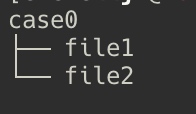 Then the tool displays it as follows:

So what about a super large folder, for example Xcode /Application/Xcode.app? It will display as the image below:
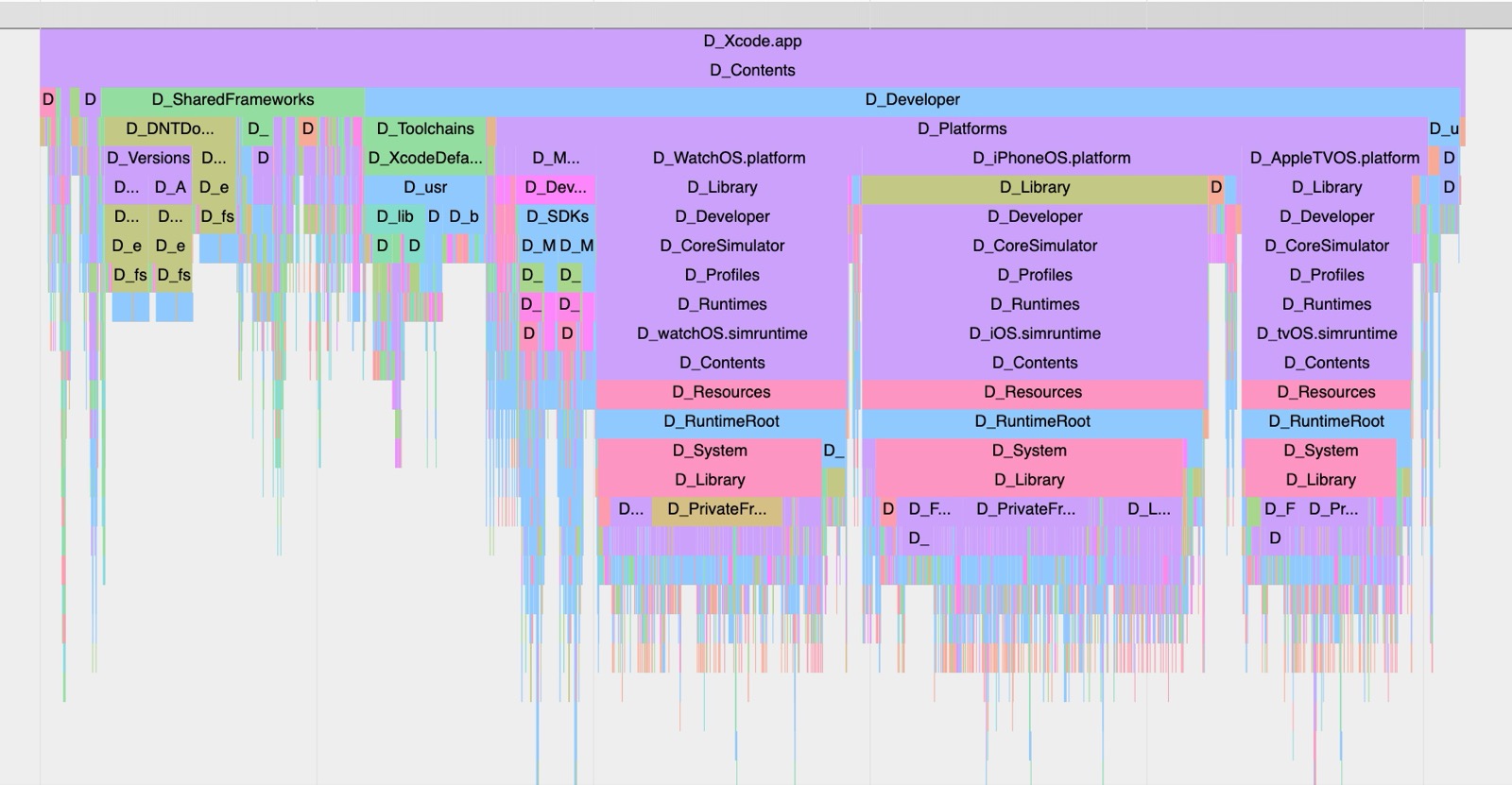
So what are those tiny files below, and how do you view them? You can press w a s d to zoom in/out and move around. Like this gif:
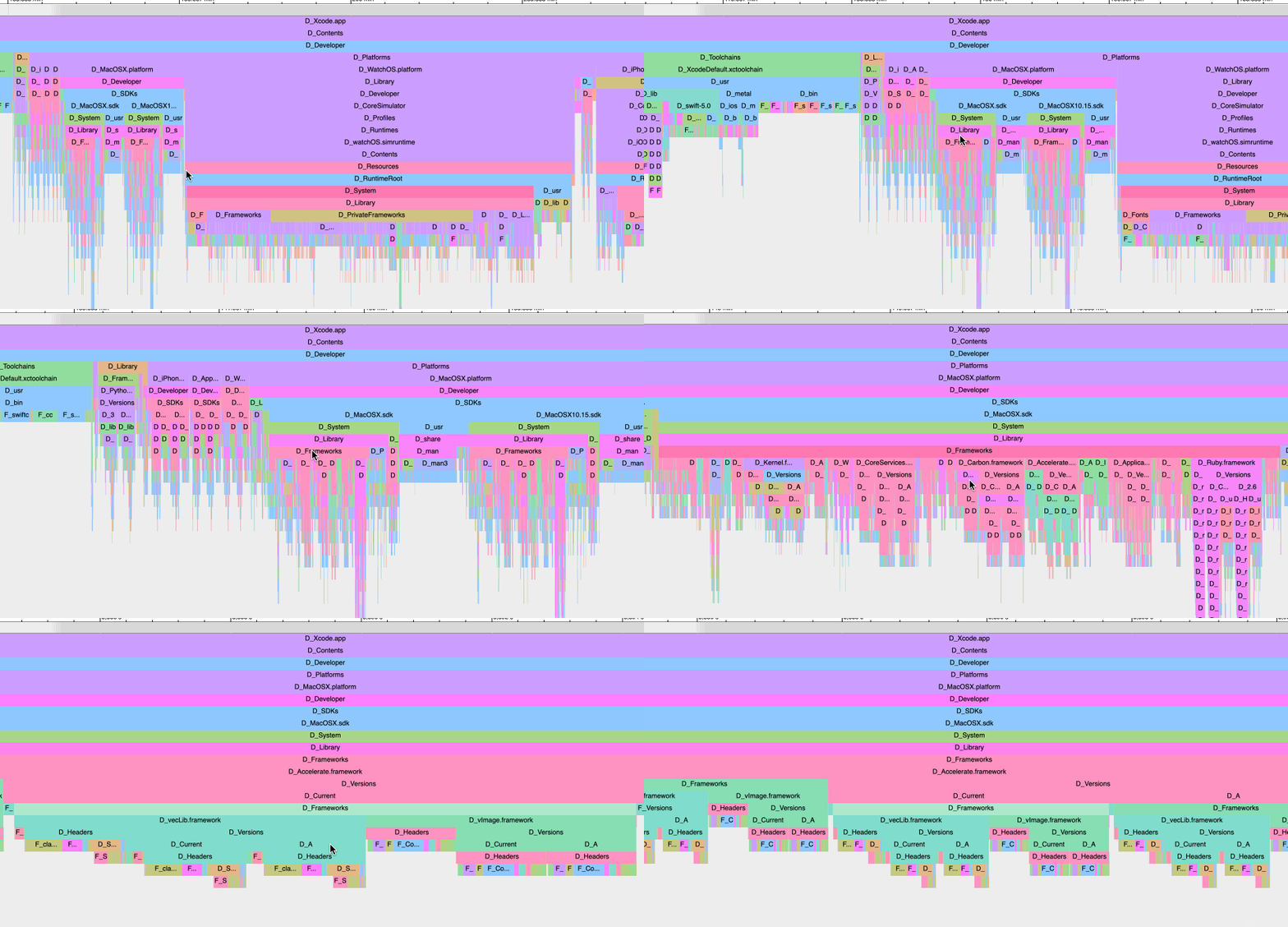
Fun~
Installation
dirtrace is developed in Python, and you can install it with pip.
pip install dirtrace
If your Python environment doesn’t have pip installed, just download
https://bootstrap.pypa.io/get-pip.py
this file, then python get-pip.py to finish the installation.
Usage
Just two steps (So easy — never have to worry about not knowing how to analyze a folder again).
Step 1: Generate the json
dirtrace -d <directory-path>
dirtrace -d <directory-path> -o <output-json-path>
For example:
dirtrace -d /Application/Contacts
or
dirtrace -d /Application/Contacts -o ~/Desktop/trace.json
Note: the output format is json. If you don’t specify the -o parameter, it will generate trace.json in the current working directory.
Step 2: View
Open the Chrome browser (it must be Chrome), and open
chrome://tracing/
As shown:

Drag the trace.json file you just generated into Chrome.
Done! Try operations like w a s d f.
Source Code
https://github.com/everettjf/dirtrace
Summary
The dirtrace mini-tool took about 2 hours from development to final release, and in the middle I even played a few rounds of Archero (Chapter 3 is too hard, I’m about to uninstall it). The only thing to note is to go to bed earlier, ha.
OK then.
背景
经常有分析一个文件夹内文件占用大小的需求(例如分析移动App的安装包大小),一直以来 GrandPerspective 基本满足了这个需求,但使用时时常希望能看到文件夹的父子关系,FolderSizeView 解决了这个需求。
然而,FolderSizeView的性能太差,文件夹内容太多时(比如分析下Xcode.app中的文件大小)就扛不住了。其实FolderSizeView发布后就陆陆续续有人反馈文件内容太多分析不出结果,交流后发现大家竟然拿FolderSizeView与一些硬盘分析工具做对比,由于设计初衷只是分析App安装包,解决了我个人的需求,因此我也就不想投入时间优化了。
然而……
真实背景:
最近入职新公司,在分析了解公司App的方方面面,分析到沙盒内容时,发现我可爱的FolderSizeView扛不住了,直接啥也不显示。郁闷的我只得先用GrandPerspective临时顶住。GrandPerspective能满足一定的需求,但总觉得用得不爽。 昨天下班回家路上想啊想,咋解决呢…… 突然一个微信群里有人提到了我开发的另一个工具Messier(见订阅号或博客的历史文章) 顿时醒悟,也可以用chrome tracing展示文件夹大小呀 下地铁后,马上跑回家 陪娃玩 讲故事 娃终于睡觉 启动PyCharm …… 159行代码 终于搞定 发布到pip 在一个经常水的群里发了下 然而……这个回复…… 先睡觉吧
唤醒 …… location changed to 幼儿园 location changed to home 开始写这篇文章
用途
把一个文件夹的内容,用 Chrome Tracing 展示出来,表示出文件的大小关系,并能愉快的浏览(放大缩小)。
例如有这样的文件夹结构:
那么用工具展示的效果如下:
那么如果是一个超级大的文件夹呢,例如Xcode /Application/Xcode.app,会展示成下图:
那么下面这么小的文件是什么,怎么看呢。可以按w a s d放大缩小移动。如下gif:
好玩~
安装
dirtrace使用了Python开发,使用pip即可安装。
pip install dirtrace
如果你的Python环境没有安装pip,只需要下载
https://bootstrap.pypa.io/get-pip.py
这个文件,然后 python get-pip.py即可安装完成。
使用
只需要两个步骤(So easy,再也不用担心我不会分析文件夹了)
第一步:生成json
dirtrace -d <directory-path>
dirtrace -d <directory-path> -o <output-json-path>
例如:
dirtrace -d /Application/Contacts
或者
dirtrace -d /Application/Contacts -o ~/Desktop/trace.json
注意:输出格式为json,如果不指定-o参数,会在当前工作目录生成trace.json
第二步:查看
打开Chrome浏览器(必须是Chrome浏览器),打开
chrome://tracing/
如图:
把刚才生成的trace.json文件推拽到Chrome中。
大功告成,试试w a s d f等操作吧。
源码
https://github.com/everettjf/dirtrace
总结
dirtrace小工具,从开发到最后发布2个小时左右,中间甚至玩了几局弓箭传说(第三章太难了,准备卸载了),唯一需要注意的是要早点睡觉了哈。
好了。