DSH app icon

dsh-ios — DeepSeek Harness on iPad & iPhone

Run DeepSeek Harness entirely on your device. A native iOS app embeds the iSH‑ARM64 Linux emulator, boots Alpine + Node 22 + dsh, and shows the harness's own web UI. No jailbreak, no server, no Mac in the loop.

iOS / iPadOS 16+Apple Silicon simulatorGPL‑3.0Objective‑C · C · asmAll test suites green
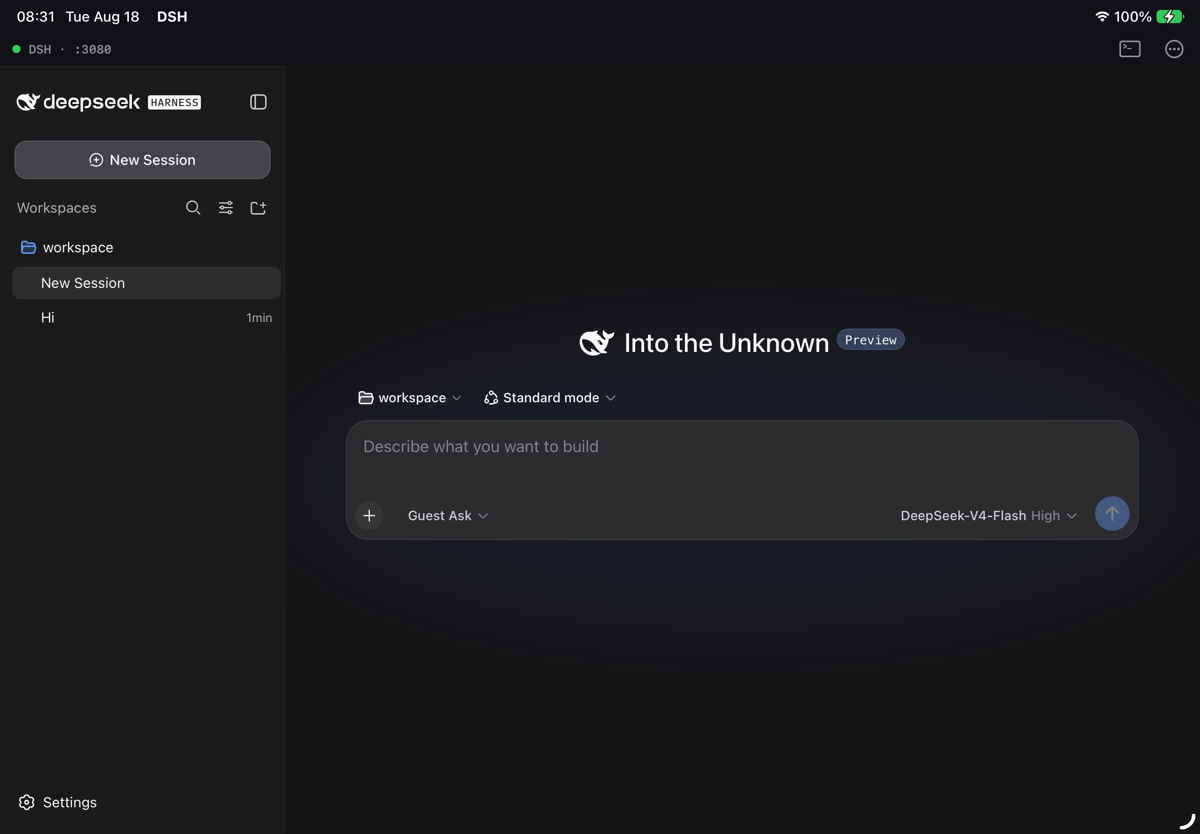
First launch on a real iPad Air
Real iPad Air (M3, iOS 27): the guest booted, DeepSeek Harness served on 127.0.0.1:3080 inside the app.
Workspace with sessions on iPad Air
Sessions, workspace, model picker and permission preset — the stock dsh web UI.

What you get

Fully on‑device

Alpine 3.21 (aarch64), Node.js 22 and @deepseek-ai/dsh run inside the app in the iSH‑ARM64 userspace emulator. Only model API calls leave the device.

The real harness UI

A WKWebView shows dsh's own web app served on loopback — sessions, workspaces, tools, permission presets, everything.

A shell when you want one

The >_ button opens an Alpine terminal in the same guest: apk add, npm i -g, poke at ~/.dsh.

Supervised server

Free‑port selection, HTTP readiness probe, crash restart with back‑off, foreground health check, live log tail on the startup overlay.

Safe updates

A new guest image in an app update is imported as a fresh root; your sessions, credentials and workspace migrate automatically.

Streaming under emulation

Jitless Node has no WebAssembly, so DSH ships a fetch() polyfill with real streaming bodies — LLM SSE works, and a mock‑server test proves it.
How it works

┌─ DSH.app ────────────────────────────────────────────────────────┐
│  DSHRootViewController ──► WKWebView ──► http://127.0.0.1:3080    │
│         │                                        ▲                │
│  DSHHarness  (port pick · readiness probe · restart · health)     │
│         │  ISHShellExecutor                      │ loopback       │
│  ┌──────▼──── iSH-ARM64 emulator (Alpine 3.21 aarch64) ───────┐   │
│  │  /usr/local/bin/dsh-serve                                  │   │
│  │    → node --expose-internals @deepseek-ai/dsh web          │   │
│  │        --host 127.0.0.1 --port N  ─────────────────────────┘   │
│  └────────────────────────────────────────────────────────────┘   │
└──────────────────────────────────────────────────────────────────┘

The guest image is built reproducibly on the Mac inside the same emulator and shipped as root.tar.gz. Getting here needed a handful of emulator fixes that are part of the repo: missing NEON conversion instructions used by libvips/sharp, an FMOV‑immediate decoding bug that broke ordinary float constants, a waitpid() EINTR bug that broke gcc and node‑gyp, and the streaming fetch polyfill.

Build & run

# macOS on Apple Silicon, Xcode 26/27, brew install meson ninja, Node ≥ 20, gem install xcodeproj
git clone git@github.com:everettjf/dsh-ios.git && cd dsh-ios
make emulator        # iSH-ARM64 CLI + fakefsify
make rootfs          # build/root.tar.gz — Alpine + Node 22 + dsh (~95 MB, ~6 min)
open DSH.xcodeproj   # DSH scheme → your iPad → Run   (or: make run TEAM=… DEVICE=…)
make test            # emulator + rootfs + XCTest/XCUITest on the simulator, unattended
SuiteCovers
tests/emu-test.shNEON gadgets & FMOV fix (C compiled with gcc inside the guest), waitpid regression, fetch polyfill
tests/rootfs-test.shimage import, guest self test, profile patch, headless LLM round trip through a mock DeepSeek SSE server, server reachable over loopback
DSHTestsport allocator, log ring, readiness probe, supervisor state machine; guest integration on simulator/device
DSHUITestsboots to the DeepSeek Harness UI, log sheet, terminal sheet