writing
Exploring the Internal Implementation of Availability Checking (@available)探索 Availability Checking(@available)的内部实现
· Performance & internals
Translated from Chinese — .
On this page
In this article we’ll explore the essence of @avaliable step by step.
In WWDC 2017: What’s New in LLVM, Apple introduced a new way of doing API availability checking, using syntax like @avaliable. For details, see this document: Marking API Availability in Objective-C
Among them, @available() can be used in conditional statements, like this:
if (@available(iOS 11, *)) {
    // Use iOS 11 APIs.
} else {
    // Alternative code for earlier versions of iOS.
}
I believe this is also the one everyone is most familiar with. So what exactly is @avaliable?
The Simplest Example
Let’s create a new iOS project, then call the following code in AppDelegate:
void test_available() {
    if (@available(iOS 11, *)) {
        // Use iOS 11 APIs.
        NSLog(@"ios11");
    } else {
        // Alternative code for earlier versions of iOS.
        NSLog(@"ios other");
    }
}
The example code is here.
Let’s Reverse Engineer It
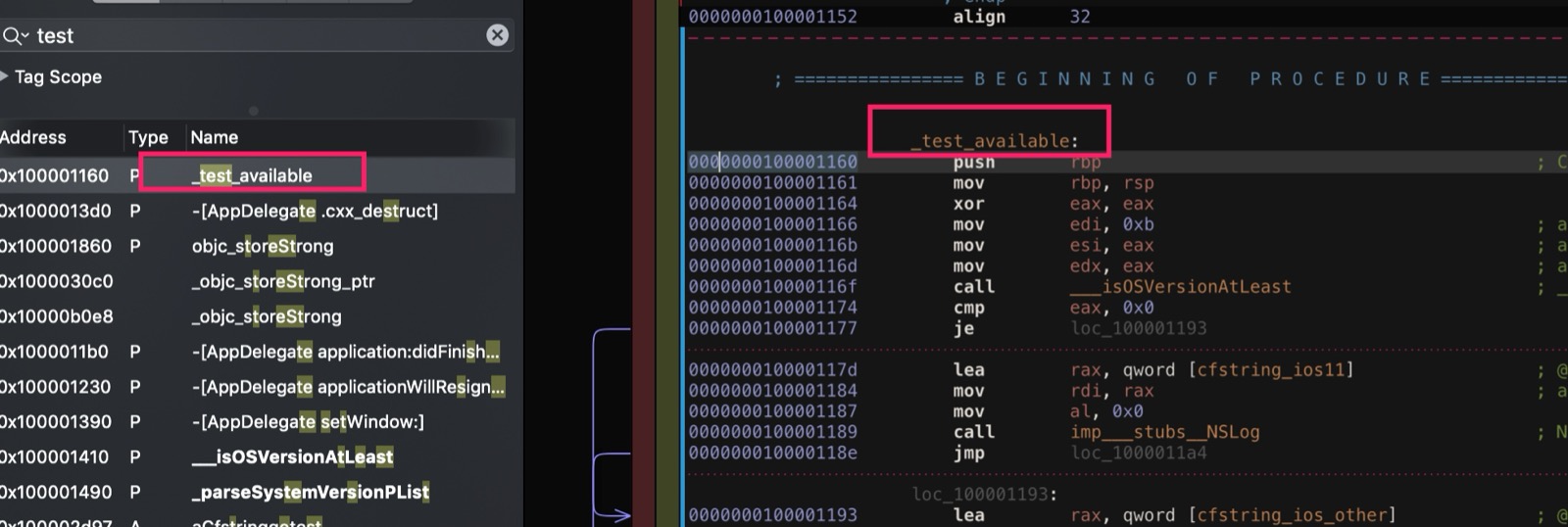
After compiling (the simulator is fine), open the generated executable with Hopper and find this test_available, as shown:
Look at the decompiled pseudocode:
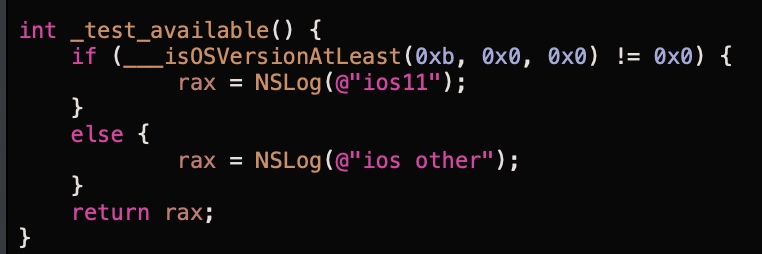
We can see that the ___isOSVersionAtLeast function is called, where 0xb is iOS 11, and presumably the following two 0x0 values are the second and third version components.
Then Hopper finds this function,
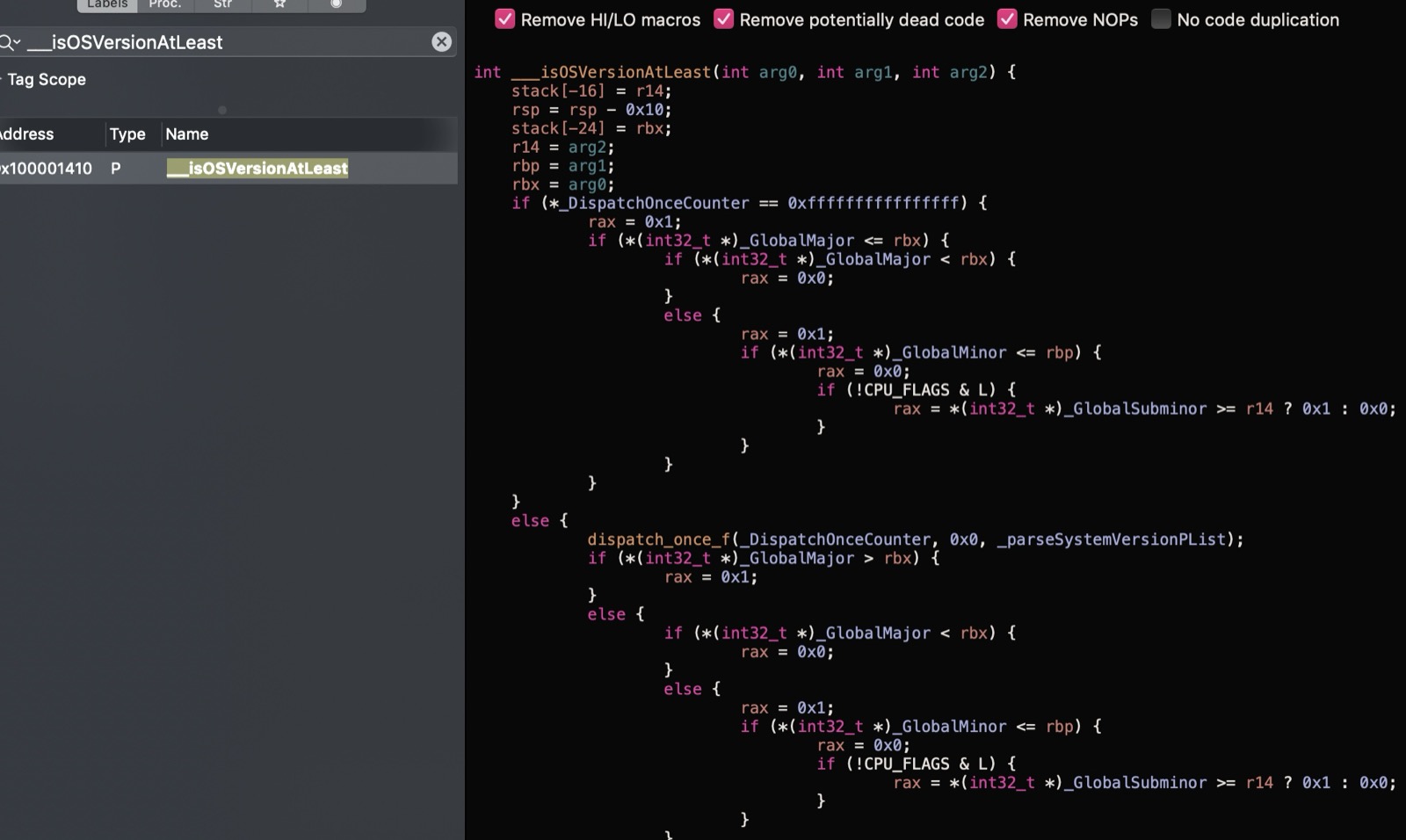
At a glance, the guess is roughly that dispatch_once gets the current system version, then assigns it to the three global variables _GlobalMajor, _GlobalMinor and _GlobalSubminor.
So how is the system version obtained inside dispatch_once? Hopper’s decompiled pseudocode doesn’t seem to show what’s executed in the block. Switching to the assembly code view, we can see:
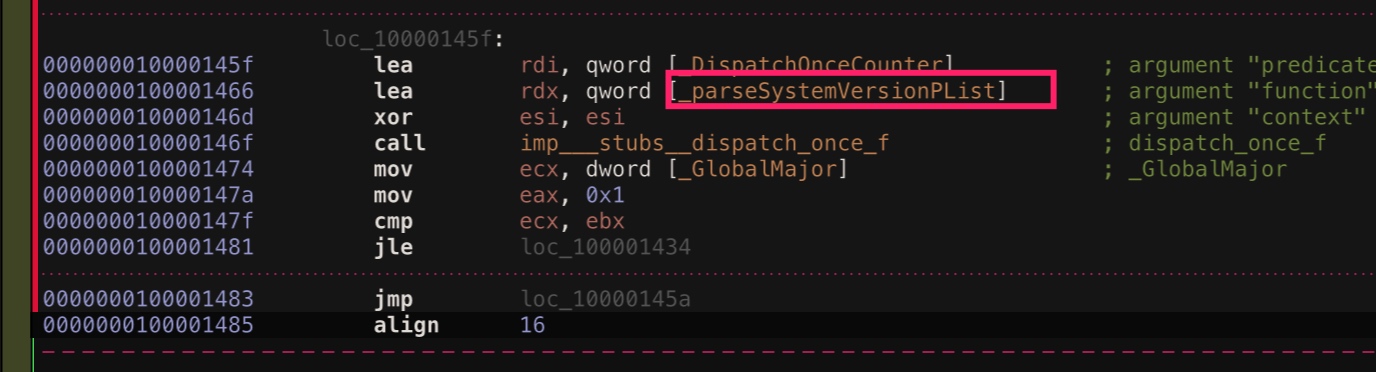
Here the _parseSystemVersionPList function is called. Let’s continue looking at this function:
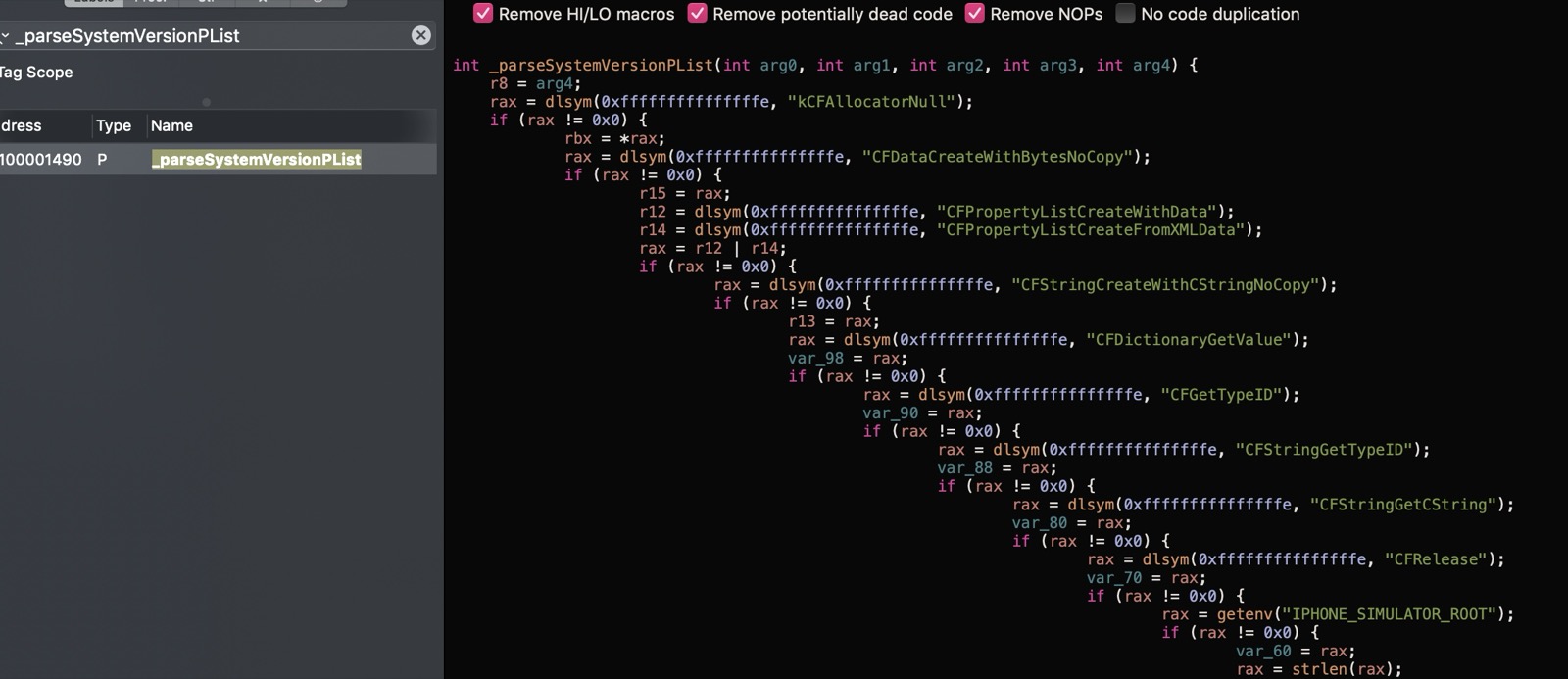

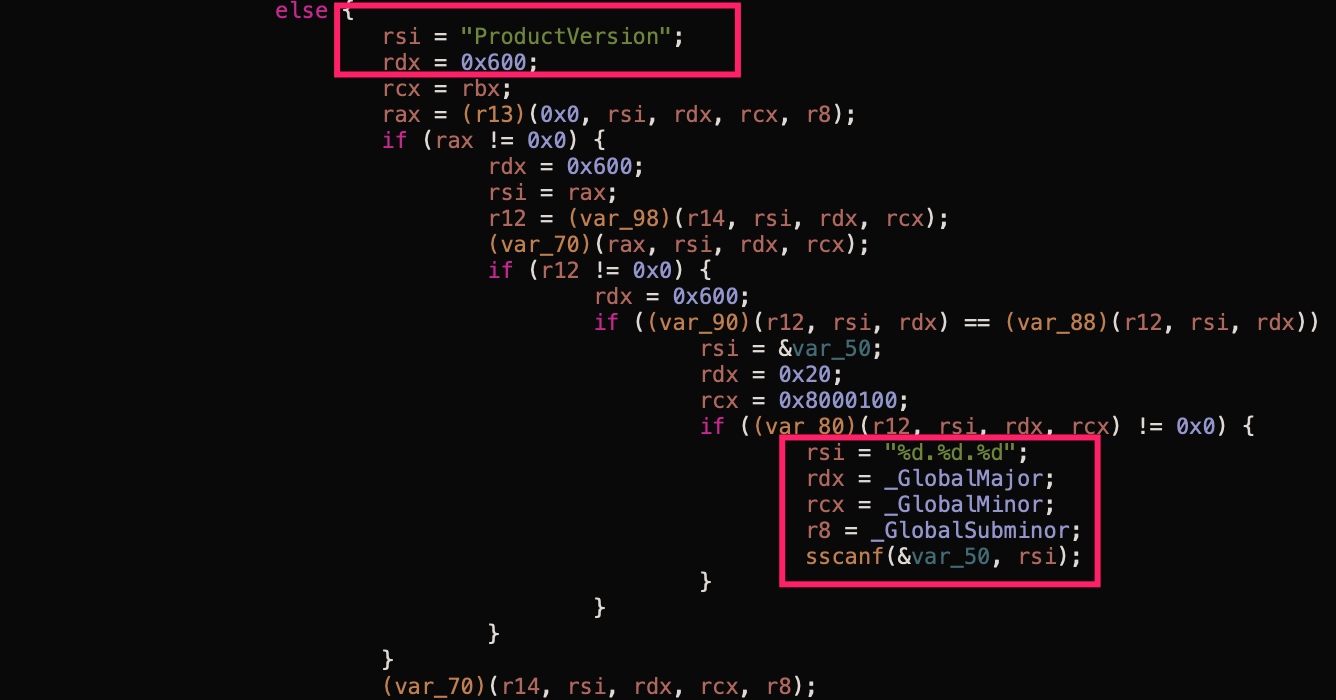
We can see there are operations on the file /System/Library/CoreServices/SystemVersion.plist, and there’s also an fopen. So let’s run Xcode and set a breakpoint on this fopen.
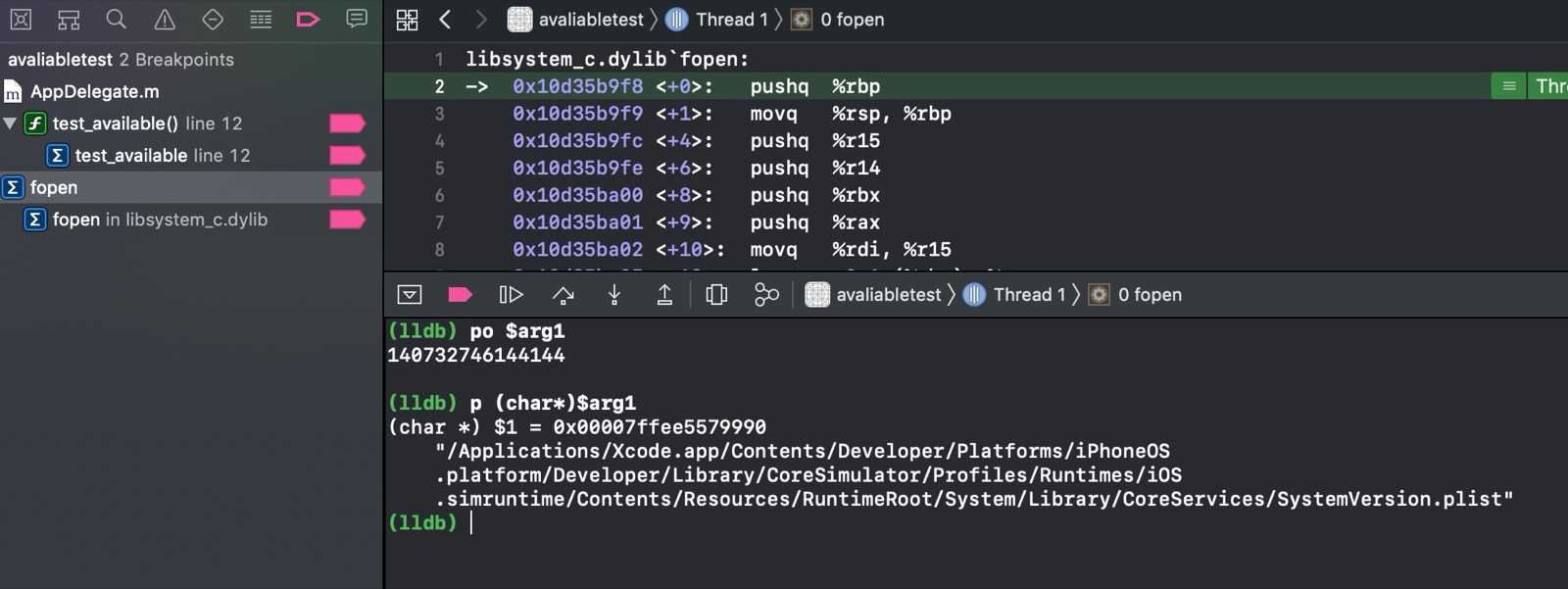
The file path is as follows:
/Applications/Xcode.app/Contents/Developer/Platforms/iPhoneOS.platform/Developer/Library/CoreSimulator/Profiles/Runtimes/iOS.simruntime/Contents/Resources/RuntimeRoot/System/Library/CoreServices/SystemVersion.plist
Let’s open it and take a look,
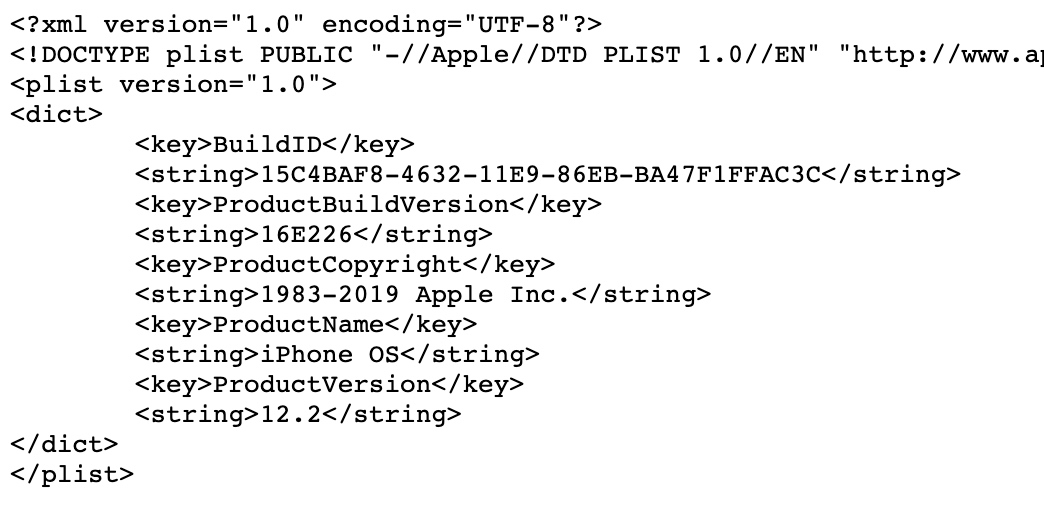
Now it’s clear: in the end it accesses this file, gets the ProductVersion from it, and uses sscanf to parse out the three values _GlobalMajor, _GlobalMinor and _GlobalSubminor.
sscanf is so ancient. Seeing it feels like going back to the year I first learned C.
Interim Summary
From the analysis so far, @available(iOS 11, *) will ultimately turn into the following pseudocode:
_GlobalMajor
_GlobalMinor
_GlobalSubminor

void _parseSystemVersionPList() {
    char *path = ".../System/Library/CoreServices/SystemVersion.plist";
    fp = fopen(path)
    read from fp
    parse ProductVersion
    sscanf into _GlobalMajor,_GlobalMinor,_GlobalSubminor
}

BOOL ___isOSVersionAtLeast(major,minor,subminor) {
    static dispatch_once_t onceToken;
    dispatch_once(&onceToken, ^{
        _parseSystemVersionPList();
    });
    return compare major,minor,subminor with _GlobalMajor,_GlobalMinor,_GlobalSubminor
}
How Does Clang Handle It
We can search for the relevant code here: https://github.com/llvm-mirror/clang/.
The AST used to represent available: AvailabilitySpec.
https://github.com/llvm-mirror/clang/blob/master/include/clang/AST/Availability.h
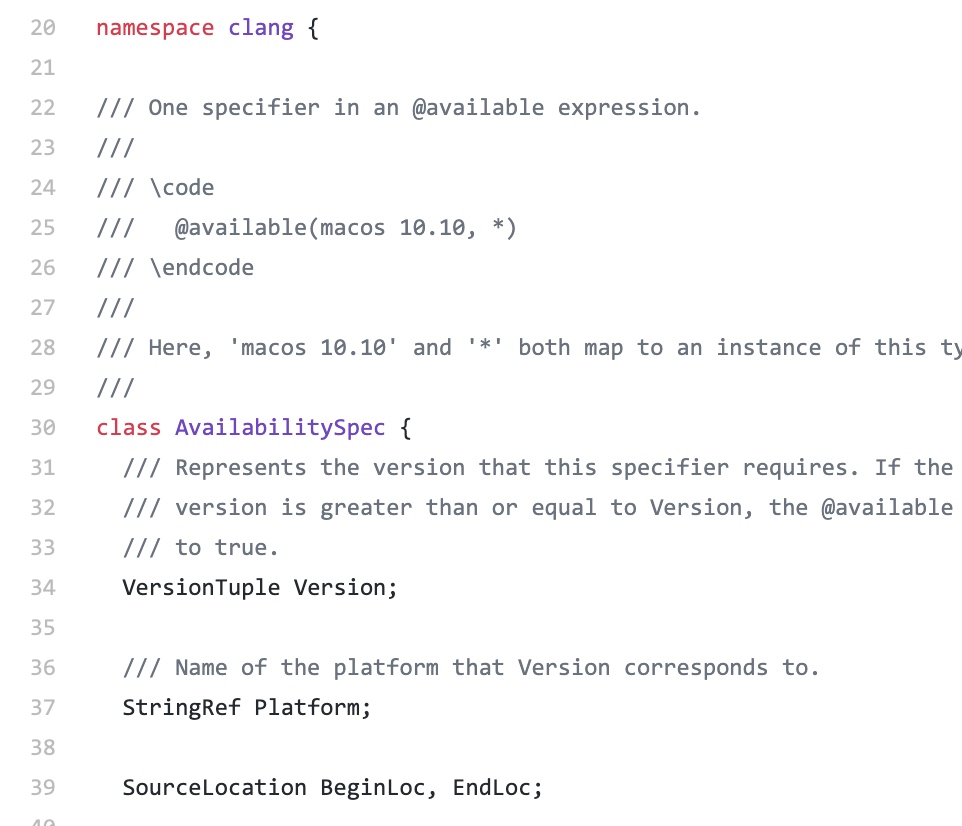
I also found the code that creates the function,
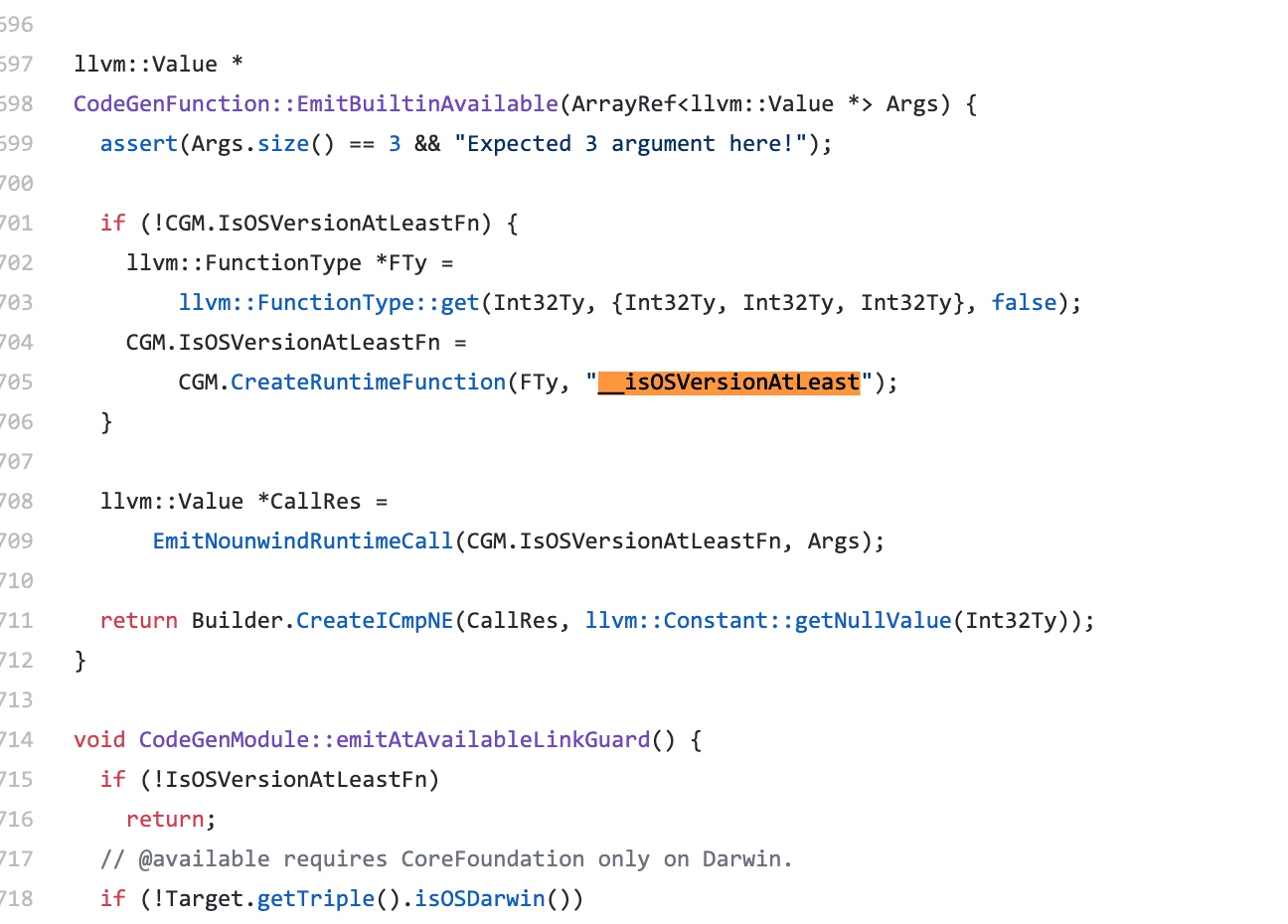
I’m not too familiar with llvm specifically, so I won’t go into detail (I can’t really explain it either, ha). If you’re interested, search for it yourself.
Final Summary
Once you understand this essence, you’ll use it more confidently from now on. Very interesting.
文章目录
这篇文章我们一步一步探索@avaliable的本质。
WWDC 2017: What’s New in LLVM 中苹果介绍了一种新的API可用性检查方法,使用@avaliable等类似的语法。详细可见这篇文档 Marking API Availability in Objective-C
其中 @available()可用于判断语句中,如下:
if (@available(iOS 11, *)) {
    // Use iOS 11 APIs.
} else {
    // Alternative code for earlier versions of iOS.
}
相信这也是大家最熟悉的,那么@avaliable到底是什么呢?
最简单的例子
我们新建一个iOS工程,然后AppDelegate里调用下如下代码:
void test_available() {
    if (@available(iOS 11, *)) {
        // Use iOS 11 APIs.
        NSLog(@"ios11");
    } else {
        // Alternative code for earlier versions of iOS.
        NSLog(@"ios other");
    }
}
例子代码见这里
逆向看看
编译(模拟器即可)后,使用Hopper打开生成的可执行文件,找到这个 test_available,如图:
看下反编译的伪代码:
可知调用了 ___isOSVersionAtLeast 这个函数,0xb就是iOS 11,估计后面两个0x0就是第二位和第三位版本了。
然后Hopper找到这个函数,
一眼看去,猜测大概就是dispatch_once里获取了当前系统的版本,然后赋值给_GlobalMajor、_GlobalMinor和_GlobalSubminor三个全局变量。
那么dispatch_once里是怎么获取的系统版本呢?Hopper的反汇编出的伪代码似乎看不出block中执行了什么了。切换到汇编代码视图,可见:
这里调用了 _parseSystemVersionPList函数,继续看这个函数:
看到有对这个文件的操作/System/Library/CoreServices/SystemVersion.plist,而且有个fopen。那我们运行Xcode,断点到这个fopen。
这个文件路径如下:
/Applications/Xcode.app/Contents/Developer/Platforms/iPhoneOS.platform/Developer/Library/CoreSimulator/Profiles/Runtimes/iOS.simruntime/Contents/Resources/RuntimeRoot/System/Library/CoreServices/SystemVersion.plist
我们打开看看,
那就明白咯,最终是访问这个文件,获取其中的ProductVersion,并通过sscanf解析出三个_GlobalMajor、_GlobalMinor和_GlobalSubminor三个数值。
sscanf 好古老呀,看到他,好像回到了刚学C语言的那一年。
阶段总结
从目前的分析来看,@available(iOS 11, *)最终将变为如下伪代码:
_GlobalMajor
_GlobalMinor
_GlobalSubminor

void _parseSystemVersionPList() {
    char *path = ".../System/Library/CoreServices/SystemVersion.plist";
    fp = fopen(path)
    read from fp
    parse ProductVersion
    sscanf into _GlobalMajor,_GlobalMinor,_GlobalSubminor
}

BOOL ___isOSVersionAtLeast(major,minor,subminor) {
    static dispatch_once_t onceToken;
    dispatch_once(&onceToken, ^{
        _parseSystemVersionPList();
    });
    return compare major,minor,subminor with _GlobalMajor,_GlobalMinor,_GlobalSubminor
}
Clang 怎么处理
相关代码我们从这里搜https://github.com/llvm-mirror/clang/,
用于表示avaliable的AST:AvailabilitySpec。
https://github.com/llvm-mirror/clang/blob/master/include/clang/AST/Availability.h
还搜到了创建函数的代码,
具体我对llvm也不是太熟,就不细说了(也说不出来哈),感兴趣自行搜索啦。
再总结
了解了这个本质,以后用起来就更自信了哈。很有趣。