writing
Adding a Close Button to the iBooks Word Lookup UIiBooks 查单词界面增加关闭按钮
· Debugging & reverse engineering
Translated from Chinese — .
On this page
During my subway commute I always read e-books with iBooks. There are too many words I don’t know, so I really like using iBooks’s built-in feature of long-pressing a word and tapping the Look Up button to look up words. And since I’m used to holding my phone with my left hand and gripping the subway handrail with my right hand… after looking up a word, the close button is in the top right corner. This article briefly explains how to add a “Done” button in the bottom left corner. As shown below:
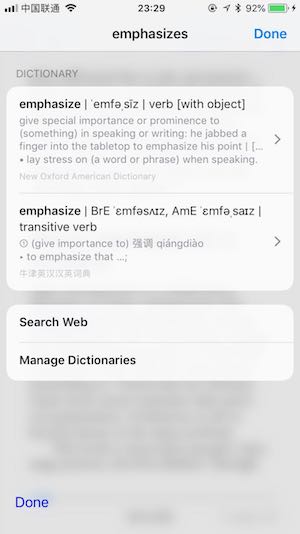
So now I look up words even more diligently.
Environment
- Jailbroken iOS (the screenshots below don’t use the iOS 11.3.1 I jailbroke a couple days ago, but it’s all the same)
Steps
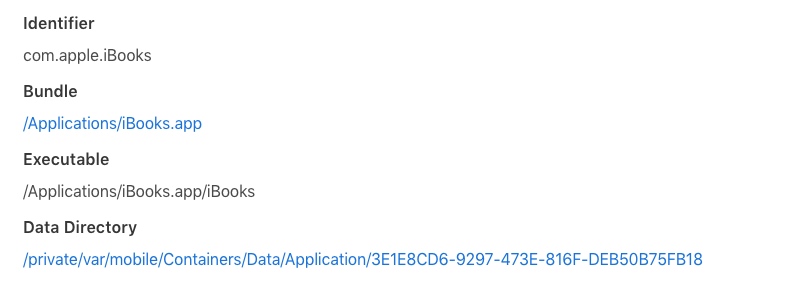
Checking iBooks Basic Information
With passionfruit, it’s easy to see. The iBooks executable path and name.
Finding the Word Lookup ViewController
Use cycript to find BKLookupViewController.

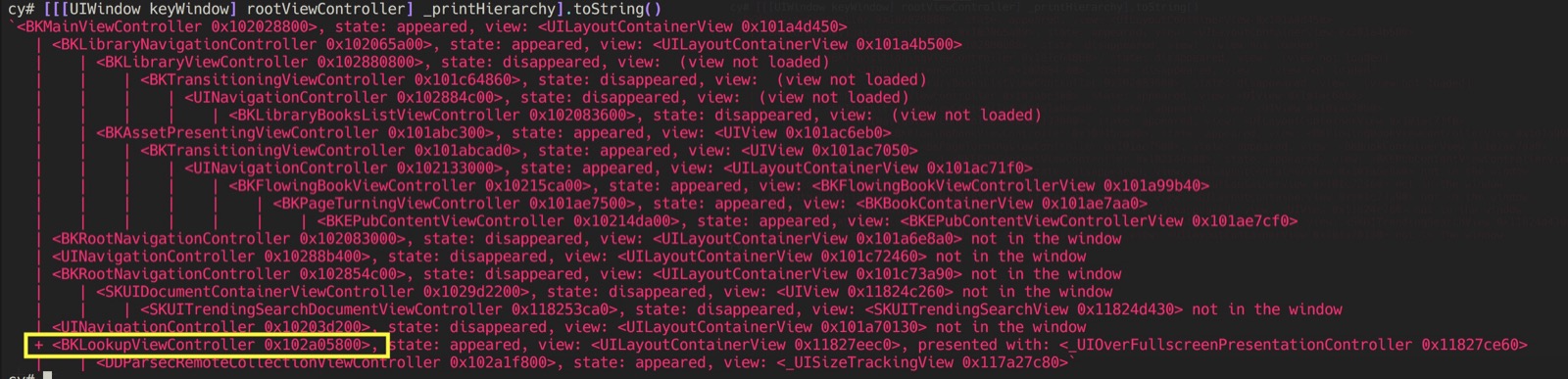
   + <BKLookupViewController 0x102a05800>, state: appeared, view: <UILayoutContainerView 0x11827eec0>, presented with: <_UIOverFullscreenPresentationController 0x11827ce60>
   |    | <DDParsecRemoteCollectionViewController 0x102a1f800>, state: appeared, view: <_UISizeTrackingView 0x117a27c80>`
class-dump
scp out the iBooks executable and the dynamic libraries under the Frameworks folder, run class-dump -S -s -H iBooks -o ibooksheader to dump the header files. You can see that BKLookupViewController inherits from DDParsecCollectionViewController. BKLookupViewController itself doesn’t have many methods, so let’s look at the class DDParsecCollectionViewController.
#import <DataDetectorsUI/DDParsecCollectionViewController.h>

@interface BKLookupViewController : DDParsecCollectionViewController
{
}

- (void)p_setDarkThemeEnabled:(_Bool)arg1;
- (void)updateForTheme:(id)arg1;

@end
However, DDParsecCollectionViewController can’t be found in the dynamic libraries in Frameworks either. Searching around, it turns out it’s a private library, DataDetectorsUI.framework.
The header file is already available ready-made.
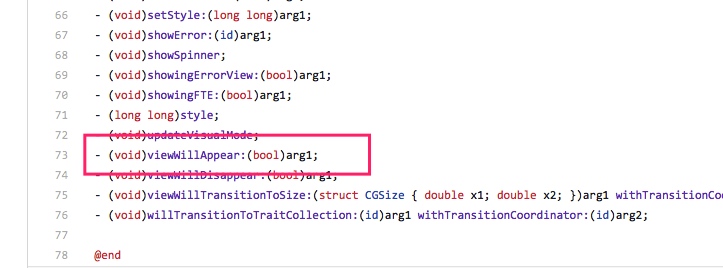
Take a quick glance — we can hook this viewWillAppear.
MonkeyDev
MonkeyDev greatly facilitates jailbreak development. Create a CaptainHook Tweak project.
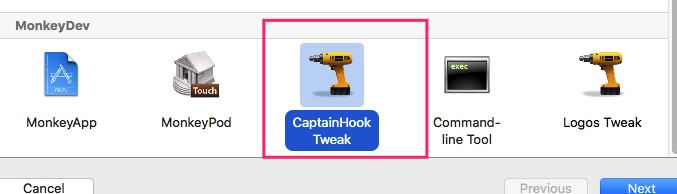
On viewWillAppear, just add a UIButton in the bottom left corner. Its event can call DDParsecCollectionViewController’s method doneButtonPressed.
Reference code: https://github.com/everettjf/iBooksLookUpCloser/blob/master/ibookslookupcloser/ibookslookupcloser.mm
Note: add -undefined dynamic_lookup to Other Linker Flags.
Publishing to bigboss
http://thebigboss.org/hosting-repository-cydia/submit-your-app — just follow the instructions to upload it.
It will be approved within 24-48 hours.
This is the description page: http://moreinfo.thebigboss.org/moreinfo/depiction.php?file=ibookslookupcloserDp
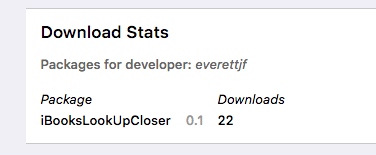
This is the download count:
http://apt.thebigboss.org/stats.php?dev=everettjf
Source Code
https://github.com/everettjf/iBooksLookUpCloser
Summary
This article doesn’t have much to do with performance optimization, but I always feel that reverse engineering and performance optimization are neighbors, influencing each other.
Very beginner-level, but it solved my own need, and I’m very happy.
地铁时间一直使用iBooks看电子书,不认识的单词太多,也就很喜欢使用iBooks自带的长按单词点击Look Up(查询)按钮来查单词。又由于习惯了左手拿手机,右手扶地铁把手……查完单词后,关闭按钮在右上角。这篇文章就简单讲下怎么在左下角加上个“Done”按钮。如下图:
于是我查单词更勤快了。
环境
- 越狱的iOS(下面的截图里没有用前两天越狱的iOS11.3.1,但都是通用的)
步骤
查看iBooks基本信息
用passionfruit,很容易看到。iBooks可执行文件路径和名称。
找到查单词的ViewController
使用cycript 找到 BKLookupViewController。
   + <BKLookupViewController 0x102a05800>, state: appeared, view: <UILayoutContainerView 0x11827eec0>, presented with: <_UIOverFullscreenPresentationController 0x11827ce60>
   |    | <DDParsecRemoteCollectionViewController 0x102a1f800>, state: appeared, view: <_UISizeTrackingView 0x117a27c80>`
class-dump
scp复制出可执行文件iBooks和Frameworks文件夹下的动态库,class-dump -S -s -H iBooks -o ibooksheader dump出头文件,可以看到 BKLookupViewController 继承自 DDParsecCollectionViewController。BKLookupViewController 本身没有多少方法,那么就看下这个类 DDParsecCollectionViewController。
#import <DataDetectorsUI/DDParsecCollectionViewController.h>

@interface BKLookupViewController : DDParsecCollectionViewController
{
}

- (void)p_setDarkThemeEnabled:(_Bool)arg1;
- (void)updateForTheme:(id)arg1;

@end
然而 DDParsecCollectionViewController 在Frameworks中的动态库中也找不到。搜一下,原来是个私有库 DataDetectorsUI.framework。
头文件已经有了现成的。
扫一眼,可以hook这个viewWillAppear。
MonkeyDev
MonkeyDev大大方便了越狱开发,创建一个CaptainHook Tweak工程。
viewWillAppear时,左下角加一个UIButton就行了,事件可以调用 DDParsecCollectionViewController的方法doneButtonPressed。
代码参考: https://github.com/everettjf/iBooksLookUpCloser/blob/master/ibookslookupcloser/ibookslookupcloser.mm
注意 Other Linker Flags 加上 -undefined dynamic_lookup。
发布到bigboss
http://thebigboss.org/hosting-repository-cydia/submit-your-app 按照提示就上传上去啦。
24-48小时就会审核通过。
这是介绍: http://moreinfo.thebigboss.org/moreinfo/depiction.php?file=ibookslookupcloserDp
这是下载次数:
http://apt.thebigboss.org/stats.php?dev=everettjf
源码
https://github.com/everettjf/iBooksLookUpCloser
总结
这篇文章和性能优化关系不大,但自己总感觉逆向工程和性能优化就是个邻居,相互有影响。
很入门,但解决了自己的需求,很开森。