writing
Notes on Jailbreaking iOS 11.3.1iOS 11.3.1 越狱步骤笔记
· Debugging & reverse engineering
Translated from Chinese — .
Reverse engineering lets us understand the system’s internals more deeply, and lets us peek into apps we’re interested in. It’s very fun, and it can also be quite evil.
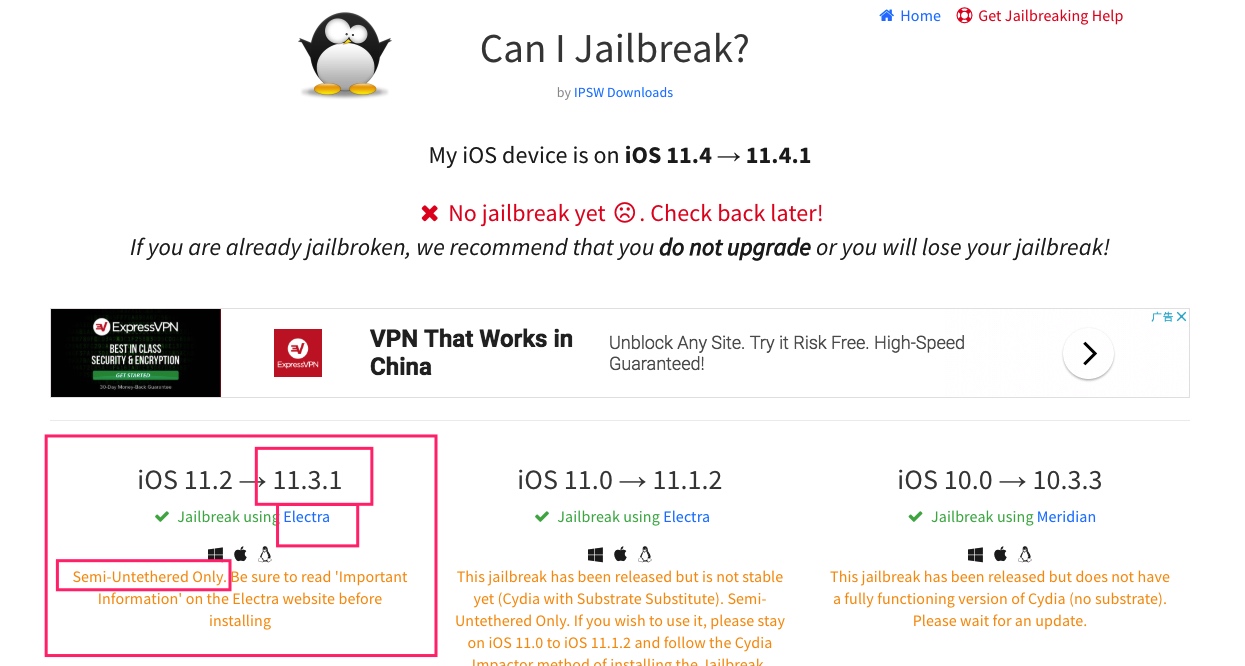
Currently (August 30, 2018), the latest jailbreakable iOS version accessible to ordinary people is iOS 11.3.1, which you can check on https://canijailbreak.com/. This article briefly covers the steps to jailbreak iOS 11.3.1, paving the way for our future reverse-engineering work aimed at performance optimization.
Environment
I just got an iPhone 6S running iOS 11.3.1 today. In theory, this article applies to everything from iOS 11.2 to iOS 11.3.1.
Tool Preparation
Tool 1: Jailbreak IPA
First, find the tool for the corresponding system on https://canijailbreak.com/, click Electra, and open the official website of the jailbreak tool Electra.
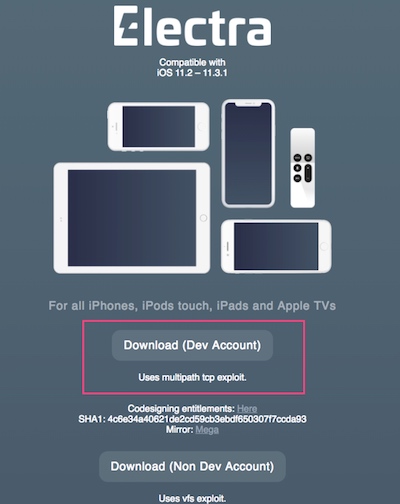
There are two versions of the tool here that can both complete the jailbreak. It looks like they exploit different system vulnerabilities, but the end result should be the same (as for the specific differences, I haven’t dug into them). Click Download (Dev Account), and it will download Electra1131-1.0.3-mptcp.ipa.
Tool 2: Resigning
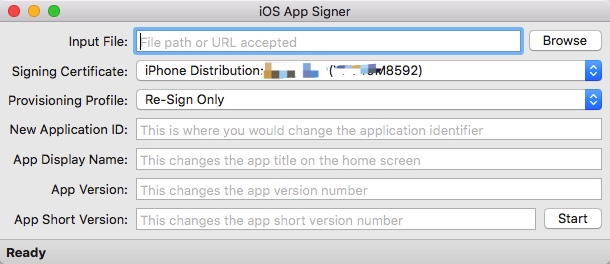
There are many resigning tools; here I use https://dantheman827.github.io/ios-app-signer/
Tool 3: Installing the IPA
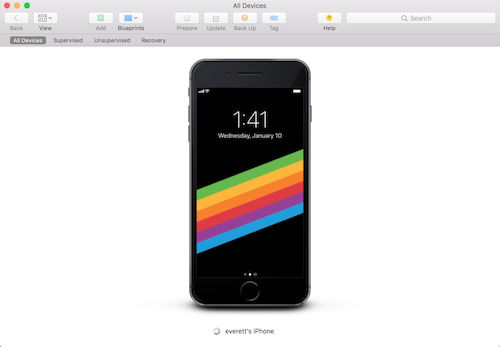
There are also many ways to install an IPA onto an iPhone; here I use Apple’s official Apple Configurator 2 https://itunes.apple.com/us/app/apple-configurator-2/id1037126344?mt=12
Starting the Jailbreak
Since the Electra we chose requires the com.apple.developer.networking.multipath entitlement, and the Impactor previously used to install IPAs doesn’t automatically add this entitlement to the bundle id, we need to do it manually.
Creating a Certificate
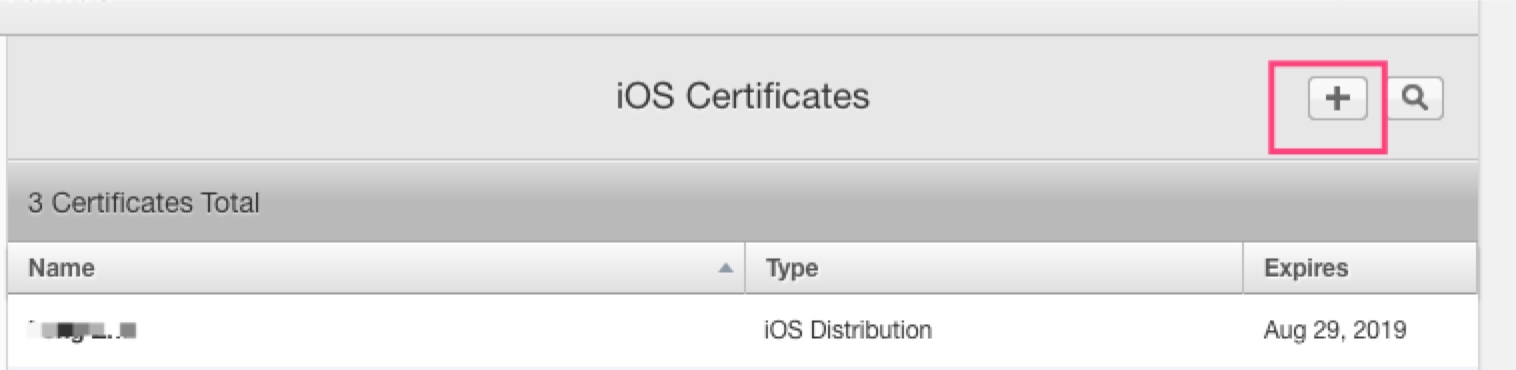
Open the developer website, https://developer.apple.com/, and create a Distribution certificate. I won’t go into detail about the creation process.
Creating App IDs
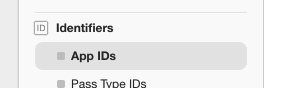 Suppose the App ID uses com.everettjf.myios11iphone6s.
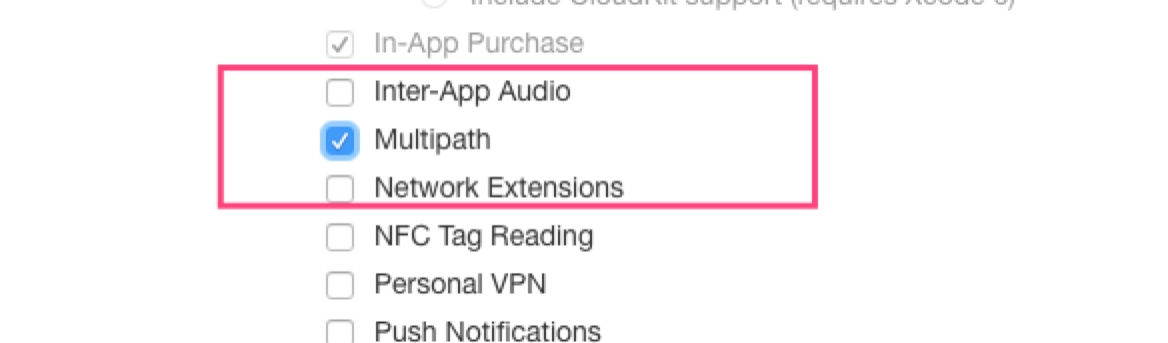
Make sure to select Multipath
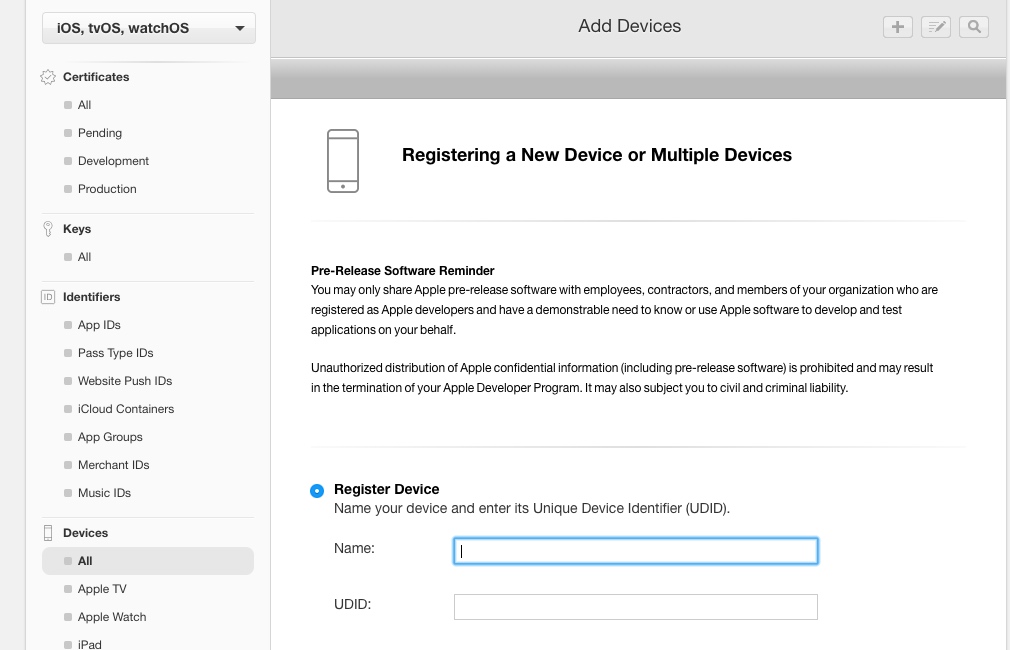
Adding the Device UDID
The device UDID can be obtained through iTunes.
Generating a ProvisioningProfile
You can create an AdHoc type.
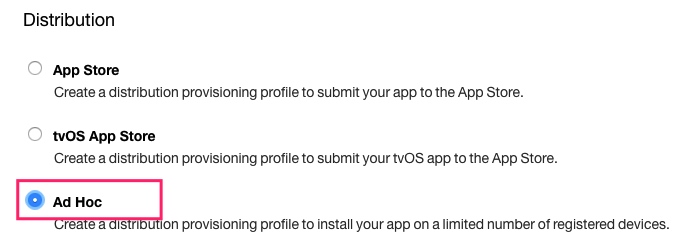
This gives you myios11iphone6s.mobileprovision.
Resigning
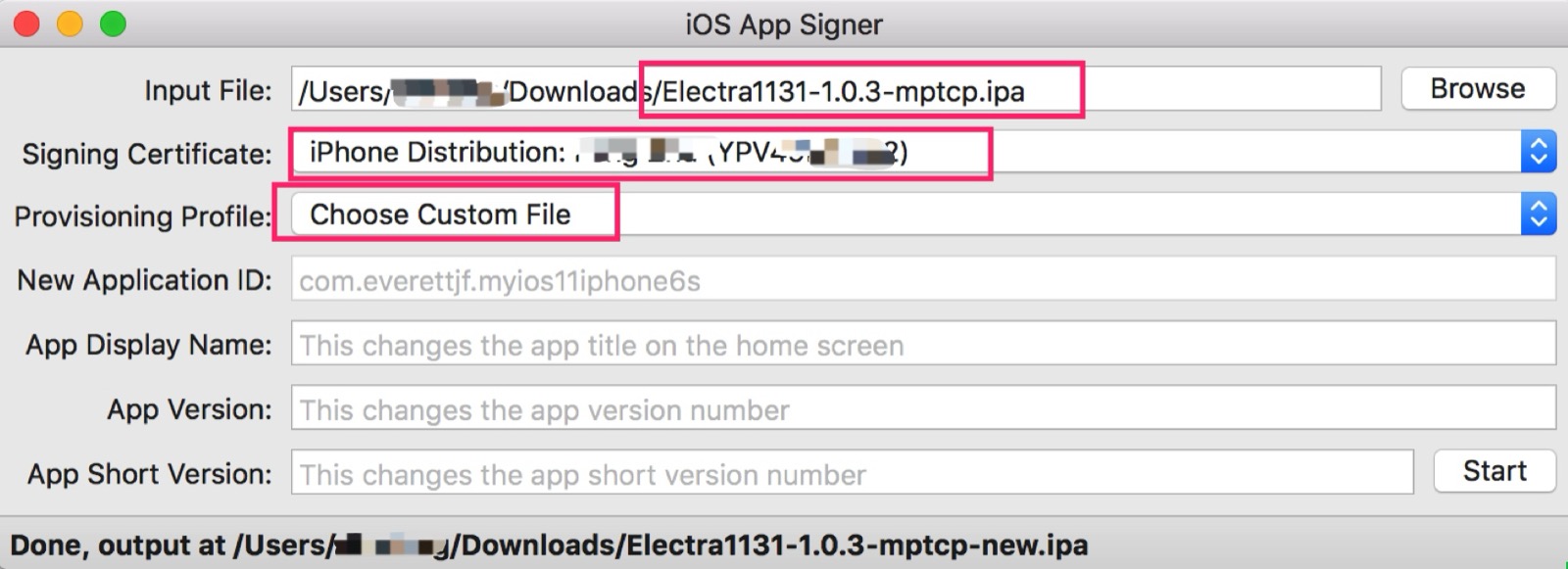
Installing the IPA
Open Apple Configurator, connect the phone, and drag the IPA in.
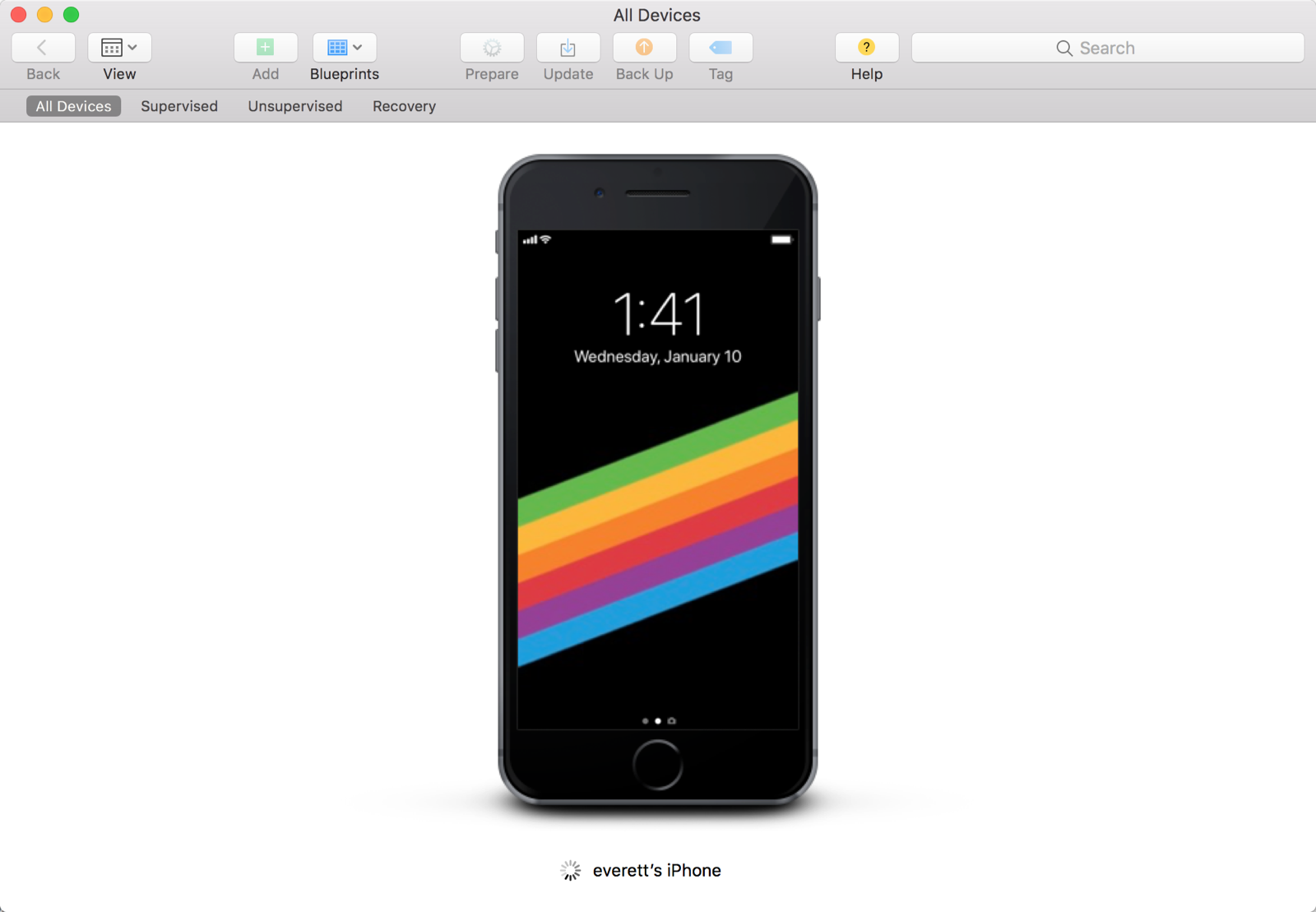
Performing the Jailbreak
Click Enable Jailbreak, wait for the device to reboot, then click it again. After the device reboots, click it once more. You need to reboot twice.
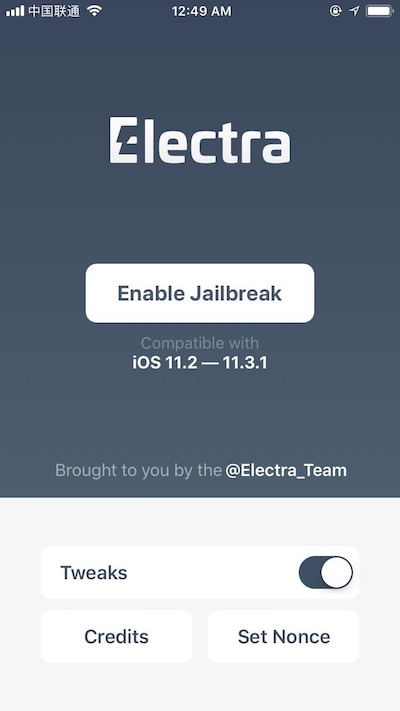
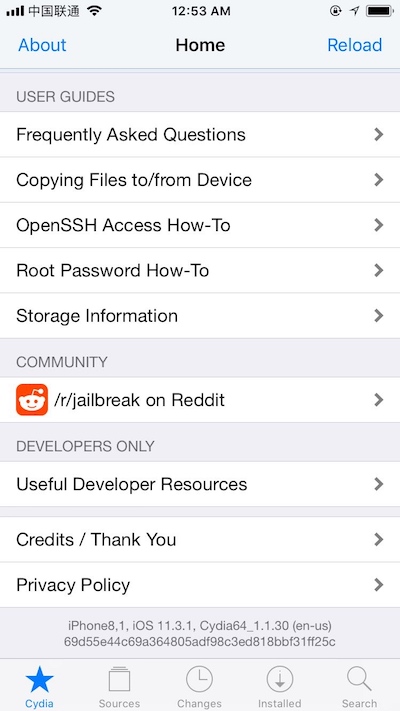
Finally, Cydia will appear on the home screen, and you can open it.
A Bit of Fun
- Install Frida, referring to https://www.frida.re/docs/ios/#with-jailbreak to install Frida.
- Install passionfruit. With a node environment set up, just run
npm install -g passionfruit. Refer to https://github.com/chaitin/passionfruit.
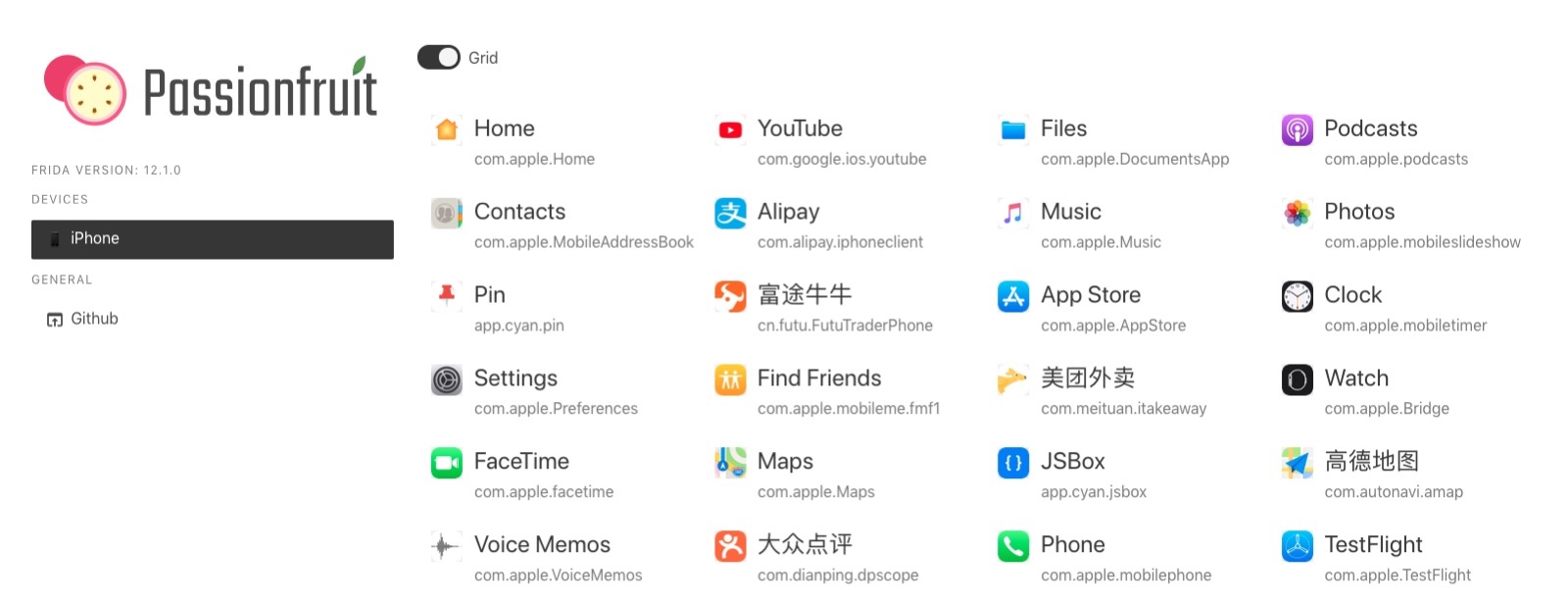
Connect the phone, run passionfruit, and you’ll see the image below.
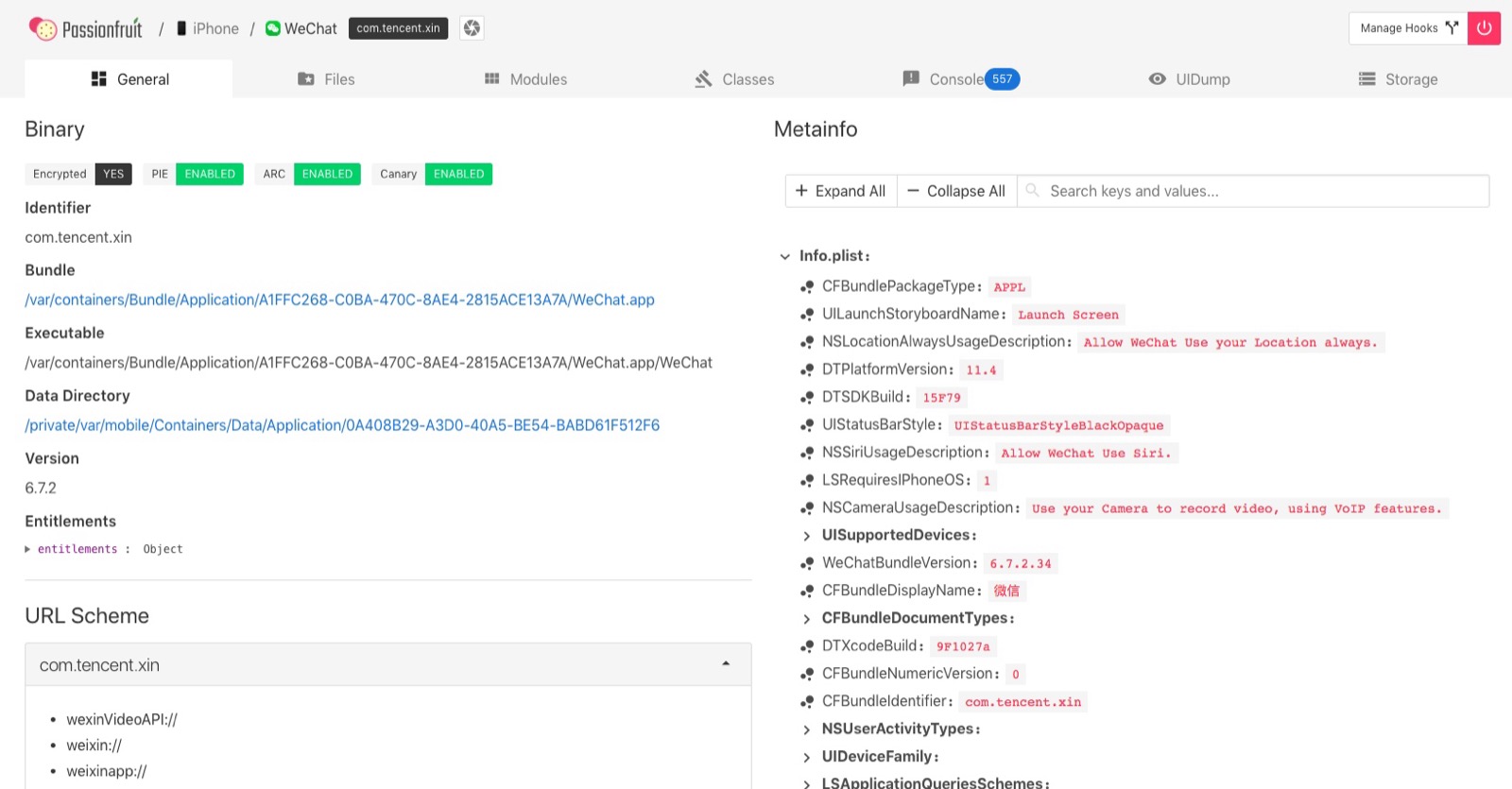
Open WeChat and take a look — passionfruit is really Niubility.
References
- https://canijailbreak.com/
- https://www.reddit.com/r/jailbreak/
- https://www.reddit.com/r/jailbreak/comments/8wtivo/tutorial_how_to_install_electra_1131_multi_path/
- https://www.reddit.com/r/jailbreak/comments/8woubo/tutorial_how_to_get_electra_working_1131_multipath/
Summary
With this jailbroken device, there’s a lot more to play with, and it can be a great aid in exploring performance optimization methods. For books on iOS reverse engineering, you can refer to “iOS Application Reverse Engineering” and “iOS Application Reverse Engineering and Security”.
文章目录
逆向工程可以让我们对系统的原理理解的更深刻,也可以让我们去窥视感兴趣的App,很好玩,也可能很邪恶。
目前(2018年8月30日)普通人能接触到的最新的可越狱的iOS版本是iOS11.3.1,可以在 https://canijailbreak.com/ 上看到,这篇文章就简单讲下iOS11.3.1的越狱步骤,为未来我们以性能优化为目的的逆向工作做铺垫。
环境
今天刚拿到了一部 iPhone6S iOS11.3.1。理论上这篇文章对 iOS11.2 到 iOS11.3.1 都适用。
工具准备
工具1:越狱IPA
首先在 https://canijailbreak.com/ 找到对应系统的工具,点击 Electra,打开越狱工具 Electra 的官方网站。
这里有两个版本的工具都可以完成越狱,看起来是利用的系统漏洞不同,但最终效果应该是一样的(具体有什么区别,我还没深究)。点击 Download(Dev Account),会下载下来 Electra1131-1.0.3-mptcp.ipa 。
工具2:重签名
重签名工具很多种,这里使用https://dantheman827.github.io/ios-app-signer/
工具3:安装IPA
将IPA安装到iPhone的方法也多种多样,这里使用苹果官方的 Apple Configurator 2 https://itunes.apple.com/us/app/apple-configurator-2/id1037126344?mt=12
开始越狱
由于我们选择的Electra需要 com.apple.developer.networking.multipath 权限,以前安装IPA使用的Impactor不会自动添加这个权限到bundle id,因此我们需要手动来操作。
证书创建
打开开发者网站,https://developer.apple.com/,创建一个Distribution证书。创建过程就不多说了。
创建App IDs
假设App ID 使用 com.everettjf.myios11iphone6s。
注意选择Multipath
设备UDID加入
设备UDID可通过iTunes获取。
生产ProvisioningProfile
可以创建AdHoc类型。
得到 myios11iphone6s.mobileprovision。
重签名
安装IPA
打开Apple Configurator,连接手机,把IPA拖入即可。
执行越狱
点击Enable Jailbreak,等设备重启后,再点击一次。等设备重启后,再点击一次。 需要重启两次。
最后桌面上就有Cydia,可以打开了。
简单玩耍
- 安装Frida,参考 https://www.frida.re/docs/ios/#with-jailbreak 安装Frida。
- 安装passionfruit,有node环境后直接
npm install -g passionfruit。参考 https://github.com/chaitin/passionfruit。
连接手机,运行passionfruit就可以看到下图了。
点开微信看看,passionfruit真 Niubility。
参考
- https://canijailbreak.com/
- https://www.reddit.com/r/jailbreak/
- https://www.reddit.com/r/jailbreak/comments/8wtivo/tutorial_how_to_install_electra_1131_multi_path/
- https://www.reddit.com/r/jailbreak/comments/8woubo/tutorial_how_to_get_electra_working_1131_multipath/
总结
有了这台越狱设备,能玩耍的事情就多了,对探索性能优化的方法可以起到辅助作用。关于iOS逆向工程方面的书籍可以参考《iOS应用逆向工程》和《iOS应用逆向与安全》。