writing
Installing the AppleTrace Tweak via Cydia使用 Cydia 安装 AppleTrace Tweak
· Debugging & reverse engineering
Translated from Chinese — .
Add the Cydia repo http://7we.win/cydia/ in Cydia, and you can install AppleTraceLoader, which then makes it easier to trace the objc_msgSend of any app.
Installation
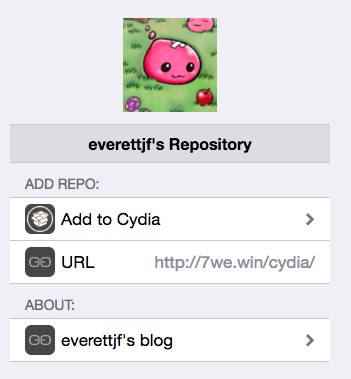
On a jailbroken phone, open http://7we.win/cydia/, click Add to Cydia, refresh, then search for AppleTraceLoader and install it.
Configuration
Open Settings -> AppleTrace, where you can choose which app to trace.
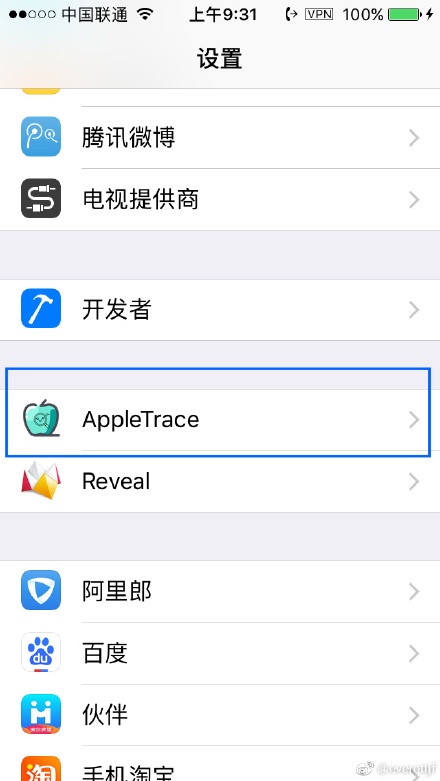
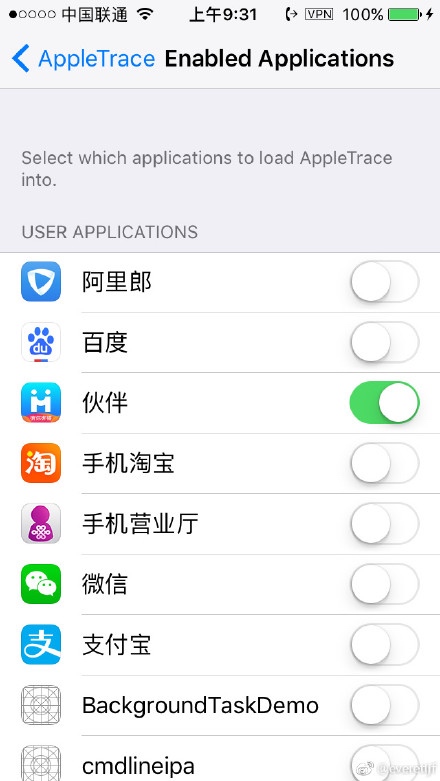
After selecting, restart the chosen App, and an appletracedata directory will be generated under that App’s directory.
Refer to the AppleTrace https://github.com/everettjf/AppleTrace documentation to generate the trace html file.
Setting Up the Cydia Repo
Here I used GitHub Pages to set up the Cydia Repo. The address is as follows:
https://github.com/crcgen
Refer to AloneMonkey’s Cydia Repo https://github.com/AloneMonkey/cydiarepo
It Could Also Have a UI
Using frida’s js interface together with Electron, you could develop a UI that makes it more convenient to fetch appletracedata. But this is neither important nor urgent, so I won’t spend time tinkering with it.
文章目录
在cydia中添加cydia repo http://7we.win/cydia/ ,可以安装AppleTraceLoader,然后可以更方便的trace任何一个app的objc_msgSend了。
安装
越狱手机打开 http://7we.win/cydia/ , 点击 Add to Cydia,刷新后搜索 AppleTraceLoader 安装即可。
配置
打开 设置->AppleTrace,可以选择trace哪个app。
选择后,重新启动选择的App,就会在对应App的目录下生成appletracedata目录了。
参考AppleTrace https://github.com/everettjf/AppleTrace 的文档就可以生成trace的html文件了。
Cydia Repo 的搭建
这里使用了GitHub Pages搭建的Cydia Repo。地址如下:
https://github.com/crcgen
参考 AloneMonkey 的Cydia Repo https://github.com/AloneMonkey/cydiarepo
还可以有个UI界面
使用frida的js接口,配合Electron可以开发个界面更方便的获取appletracedata,不过此事不重要不紧急,就不投入时间倒腾啦。