writing
AppleTrace Paired with MonkeyDev to Trace Any AppAppleTrace 搭配 MonkeyDev Trace 任意 App
· Debugging & reverse engineering
Translated from Chinese — .
On this page
AppleTrace paired with MonkeyDev can trace any App
(Related article: https://xnu.app/2017/09/21/appletrace/ )
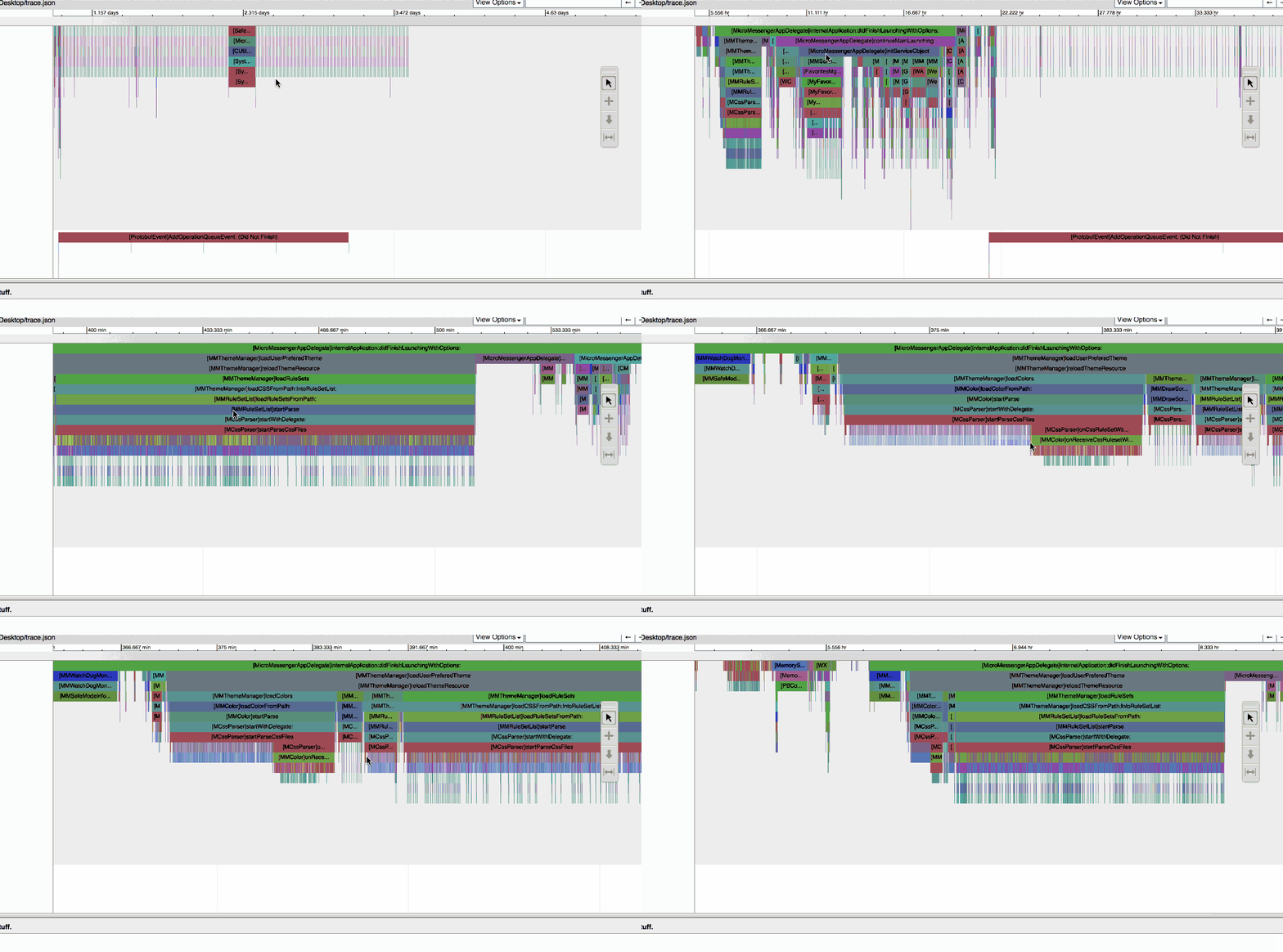
Result Demo:
Environment:
arm64 (only in the arm64 environment)
Tools:
- MonkeyDev https://github.com/AloneMonkey/MonkeyDev
- AppleTrace https://github.com/everettjf/AppleTrace
Steps:
- First, use MonkeyDev to create a MonkeyApp
-
Create a new Podfile
source '<https://github.com/AloneMonkey/MonkeyDevSpecs.git'> use_frameworks! target 'WeChatAppleTraceDylib' do pod 'AppleTrace' end - Put the third-party App’s ipa into the Target directory specified by MonkeyDev.
- Run
- Copy the appletracedata directory out of the sandbox’s Library directory
- Following the steps in the README at https://github.com/everettjf/AppleTrace, you can generate trace.html
Result
https://github.com/everettjf/Yolo/raw/master/WeChatAppleTrace/Result/WeChatStartup.zip
Unzip the zip file above, open trace.html, and press the keys w a s d to zoom and move, just like playing CS, right?
AppleTrace搭配MonkeyDev可实现Trace任意App
(关联文章:https://xnu.app/2017/09/21/appletrace/ )
结果演示:
环境:
arm64(仅在arm64环境下)
工具:
- MonkeyDev https://github.com/AloneMonkey/MonkeyDev
- AppleTrace https://github.com/everettjf/AppleTrace
步骤:
- 首先使用MonkeyDev创建MonkeyApp
-
新建Podfile
source '<https://github.com/AloneMonkey/MonkeyDevSpecs.git'> use_frameworks! target 'WeChatAppleTraceDylib' do pod 'AppleTrace' end - 把第三方App的ipa放入 MonkeyDev指定的Target目录中。
- 运行
- 从沙盒 Library目录中复制出 appletracedata目录
- 按照 https://github.com/everettjf/AppleTrace README中的步骤可生成 trace.html
结果
https://github.com/everettjf/Yolo/raw/master/WeChatAppleTrace/Result/WeChatStartup.zip
解压上面的zip文件,打开trace.html,按快捷键 w a s d 可缩放移动,就像在玩 CS,是吧。