writing
Enterprise-Signed App Launches Slowly (Stuck on a Dark Icon for N Seconds)企业证书签名的 App 启动慢(停在暗色图标 N 秒)
· Development notes
Translated from Chinese — .
On this page
Problem
Over roughly the past month, QA noticed that the app frequently launched slowly, and it was fairly easy to reproduce.
Reproduction OS version: iOS 9.3, with an enterprise-certificate-signed app installed.
The app launch process usually goes like this: the app icon’s color first dims, and after dimming, the icon then zooms in and transitions into the LaunchScreen.
The problem was this: the first launch of the app had no stutter, but after switching to another app for a while and then tapping the app icon again, it would get stuck on the dark icon for 3 to 10 seconds—the duration varied each time.
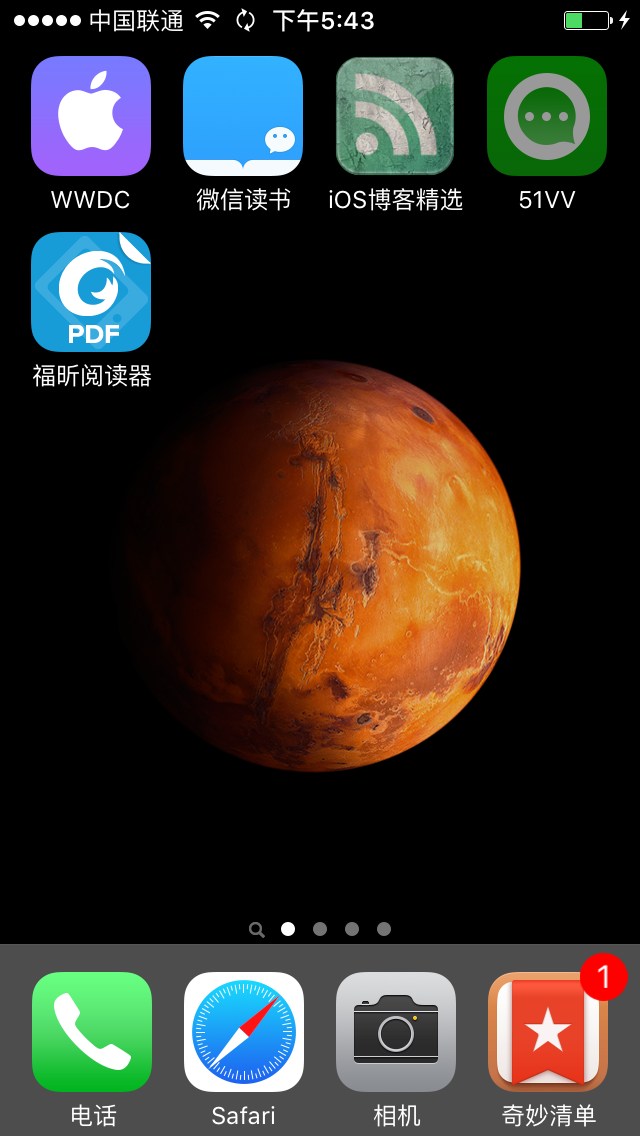
See the 51VV icon in the top-right corner; the image below is the dark icon (i.e., it gets stuck on this screen for 3 to 10 seconds):
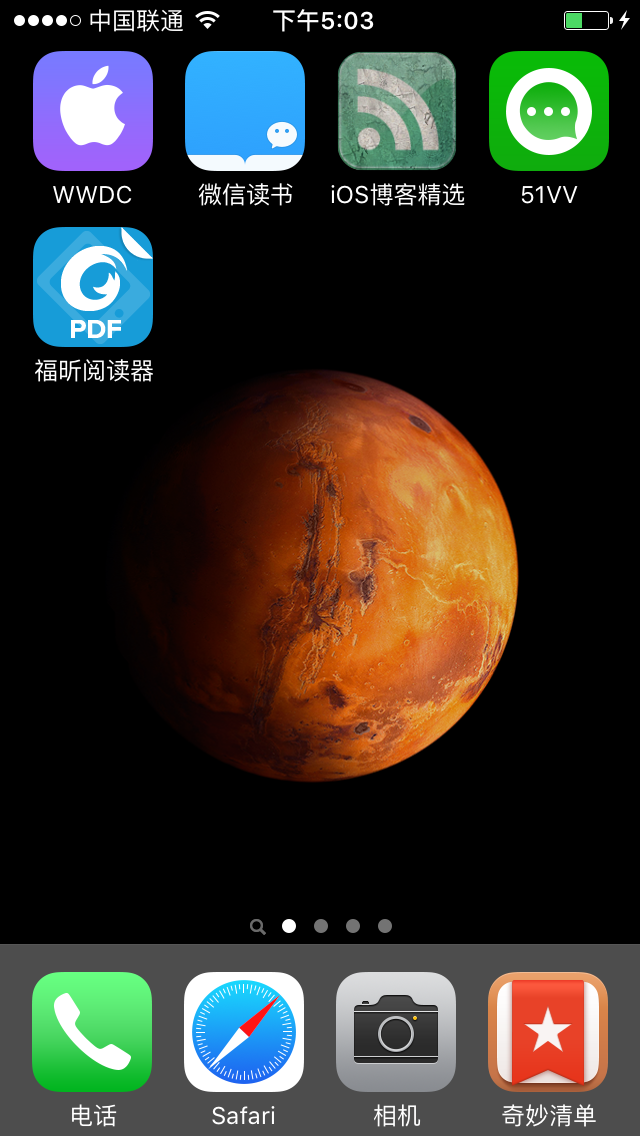
The image below is the normal icon:
Attempts
This problem was mainly investigated by a coworker; I tracked the whole process and provided some signing support.
- At first we thought too much code was running at startup in AppDelegate, so we did a lot of optimization.
- Later we found the code there wasn’t even being reached.
- Then we thought it was a project configuration issue, so we created a new project, enterprise-signed it, and the problem didn’t appear.
- After that, we did the enterprise signing directly on a development machine, and the problem didn’t appear either. (At this point we basically suspected the build machine.)
- (The build machine is the configured Jenkins for continuous integration—auto-build, auto enterprise-sign, auto-upload to fir. I’ve written similar articles on my blog before.) Because of being busy (lazy) at work, I had never upgraded the build machine.
- Finally, we upgraded the build machine to the latest OS X system (OS X 10.10), upgraded Xcode to the latest (7.3), then built and enterprise-signed again.
- The problem no longer appeared.
Reproduction Environment
- Build machine: Xcode 7.1 + OS X 10.10
- Development machine: Xcode 7.3 + OS X 10.11
Scope of Impact
- Only enterprise-certificate-signed apps. (Apps signed with an App Store certificate don’t have this problem.)
Cause of the Problem
- Possible cause 1: An old version of Xcode performing enterprise-certificate signing on an old system isn’t perfectly compatible with iOS 9.3’s code that verifies the app’s signing certificate at launch. In other words, this should be Apple’s bug.
- Possible cause 2: Caused by an old version of Xcode compiling a project from a newer version of Xcode.
Personally, I think cause 1 is more likely.
Solution
- Keep the build machine and development machine environments consistent.
- Try to keep the system and development environment at the latest versions.
Related Material
There’s a similar question on Stack Overflow, but the cause is different.
问题
最近1个月左右QA发现App经常出现启动慢的情况。且较容易复现。
复现系统版本:iOS 9.3,且安装企业证书签名的App。
App启动过程一般是这样的:App图标颜色会首先变暗,变暗后图标再出现放大效果进入LaunchScreen。
问题是这样的:首次启动App不会出现卡顿,当切换到其他App一段时间后,再次点击App图标时,停在暗色图标这里3至10秒,每次时间不同。
见右上角51VV的图标,下图是暗色的图标(也即是卡在这个界面3至10秒):
下图是正常的图标:
尝试方法
这个问题主要是我同事尝试解决的,我进行了全程跟踪以及一些签名的支持。
- 开始以为是AppDelegate里启动的代码太多,进行了很多优化。
- 后来发现根本没有执行到这里的代码。
- 后来以为是工程配置的问题,新创建了个工程,进行企业签名,没有出现此问题。
- 再后来直接在开发机器上企业签名,没有出现此问题。(此时基本怀疑编译机的问题)
- (编译机,也就是配置的Jenkins持续集成,自动打包,自动企业签名,自动上传fir。以前的博客写过类似文章),也由于工作忙(懒)一直没有升级编译机。
- 最后,升级编译机到最新的OS X系统(OS X 10.10),Xcode也升级到最新(7.3),再次打包、企业签名。
- 不会再出现此问题。
复现环境
- 编译机 Xcode 7.1 + OS X 10.10
- 开发机器 Xcode 7.3 + OS X 10.11
影响范围
- 仅企业证书签名的App。(AppStore证书签名的App不会出现此问题)
问题原因
- 可能原因1:老版本的Xcode在老版本系统上进行企业证书的签名,在App启动时验证App签名证书的代码上,没有做到iOS 9.3系统的完美兼容。或者说,应该是苹果的bug。
- 可能原因2:老版本Xcode编译新版本的Xcode工程导致。
当然,我觉得,原因1更加可能。
解决办法
- 编译机与开发机环境保持一致。
- 尽量保持最新版本的系统和开发环境。
相关资料
stackoverflow 有问类似问题的,但问题原因不一样。