writing
Building XBookmark: Bookmarks for XcodeXcode 书签插件 XBookmark 开发笔记
· Building tools & products
Translated from Chinese — .
On this page
Code: https://github.com/everettjf/XBookmark
Result
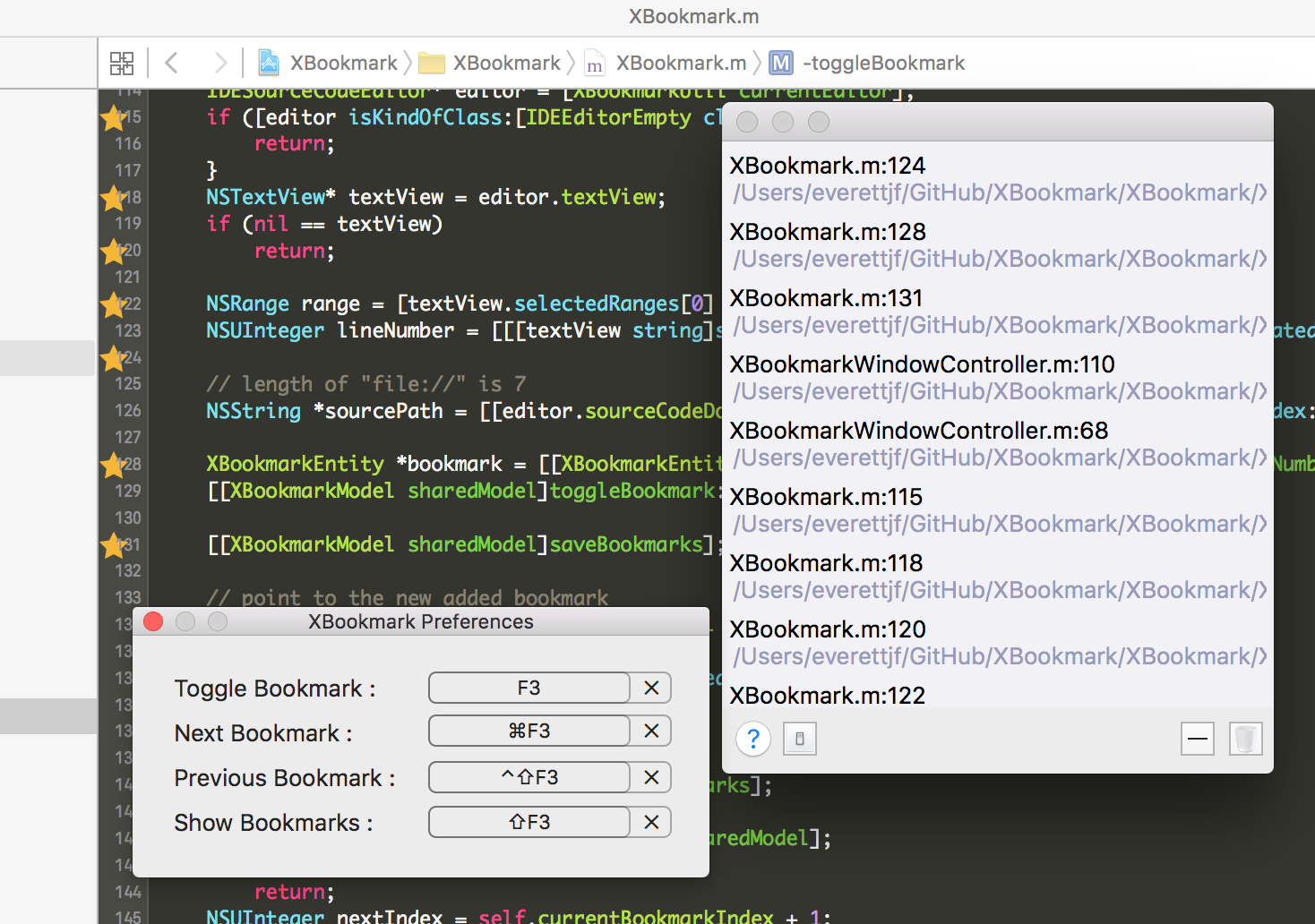
How to Use
First install the plugin manager Alcatraz, search for XBookmark and install it. After restarting Xcode you’ll find the following features in the Edit menu.
- For the current line of code, press F3 to add or remove a bookmark
- Shift+F3 shows the bookmark list
- Command+F3 jumps to the next bookmark
- Shift+Ctrl+F3 jumps to the previous bookmark
Background
When I first got into iOS development, I found that Xcode surprisingly lacks the bookmark feature I had often used in Visual Studio. After searching around for a while, I found roughly the following alternatives:
- Use breakpoints (Disabled Breakpoint)
- Use the XToDo plugin, add a BOOKMARK tag, and add a BOOKMARK comment on the line of code where you want a bookmark
- Use the XcodeBookmark plugin (not the XBookmark discussed in this article), but this plugin doesn't seem to support Xcode 7, and its underlying principle is still about adding auxiliary breakpoints.
So far I found these 3 methods, but none of them felt ideal. There was no way to quickly switch between the previous and next bookmark, and no way to add a bookmark comment.
So I decided to develop one myself, and call it XBookmark.
Pre-reading Articles
During development I read roughly the following articles.
Articles about Xcode plugins:
http://studentdeng.github.io/blog/2014/02/21/xcode-plugin-fun/ http://www.poboke.com/study/write-a-xcode-plugin-to-auto-select-all-targets.html http://www.onevcat.com/2013/02/xcode-plugin/
Articles about Mac development:
http://www.raywenderlich.com/17811/how-to-make-a-simple-mac-app-on-os-x-10-7-tutorial-part-13
I also read the source code of a few plugins.
A Brief Summary of the Development Steps
Install the Template, Create the Project
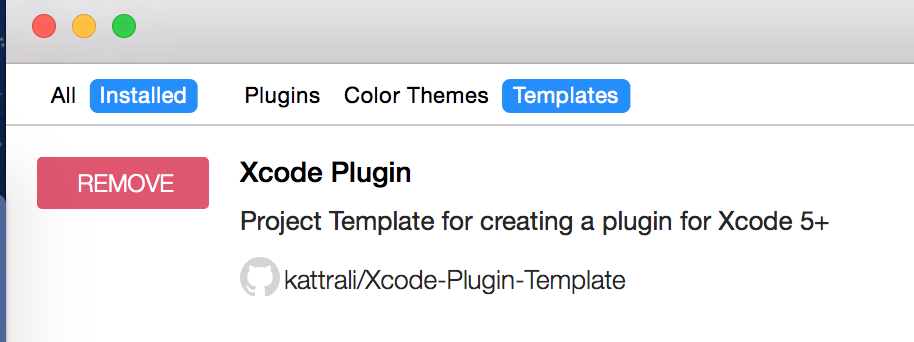
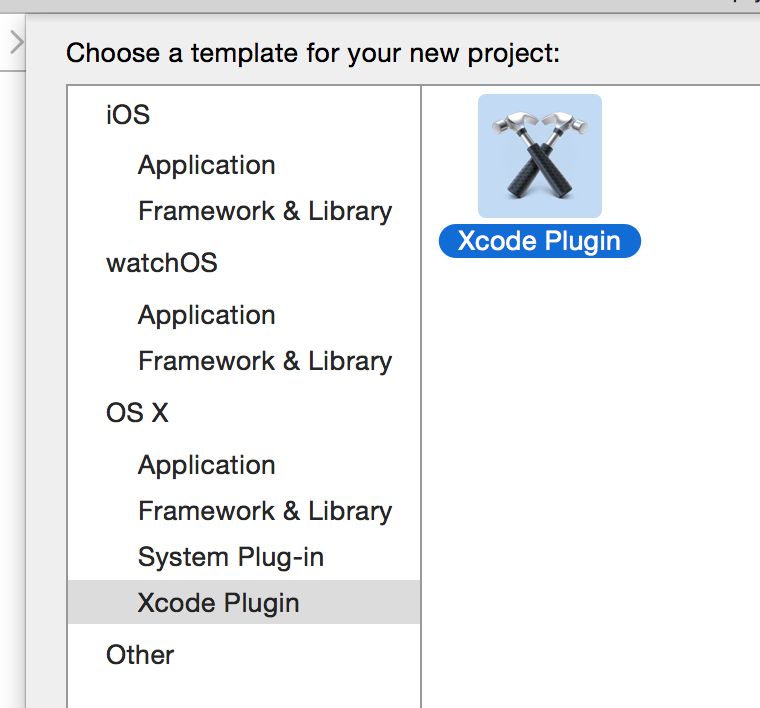
Search for Xcode Plugin in the Templates section of Alcatraz. After installing, create the project from this template.
Add the Menu
NSMenuItem *menuItem = [[NSApp mainMenu] itemWithTitle:@"Edit"];
if (menuItem) {
    [[menuItem submenu] addItem:[NSMenuItem separatorItem]];

    {
        NSMenuItem *actionMenuItem = [[NSMenuItem alloc] initWithTitle:@"Toggle Bookmark" action:@selector(toggleBookmark) keyEquivalent:f3];
        [actionMenuItem setKeyEquivalentModifierMask:0];
        [actionMenuItem setTarget:self];
        [[menuItem submenu] addItem:actionMenuItem];
    }
    //...
Get the Bookmark Position
IDESourceCodeEditor* editor = [XcodeUtil currentEditor];
NSTextView* textView = editor.textView;
if (nil == textView)
    return;

NSRange range = [textView.selectedRanges[0] rangeValue];
NSUInteger lineNumber = [[[textView string]substringToIndex:range.location]componentsSeparatedByString:@"\n"].count;

// length of "file://" is 7
NSString *sourcePath = [[editor.sourceCodeDocument.fileURL absoluteString] substringFromIndex:7];

XBookmarkEntity *bookmark = [[XBookmarkEntity alloc]initWithSourcePath:sourcePath withLineNumber:lineNumber];
[[XBookmarkModel sharedModel]toggleBookmark:bookmark];

//...
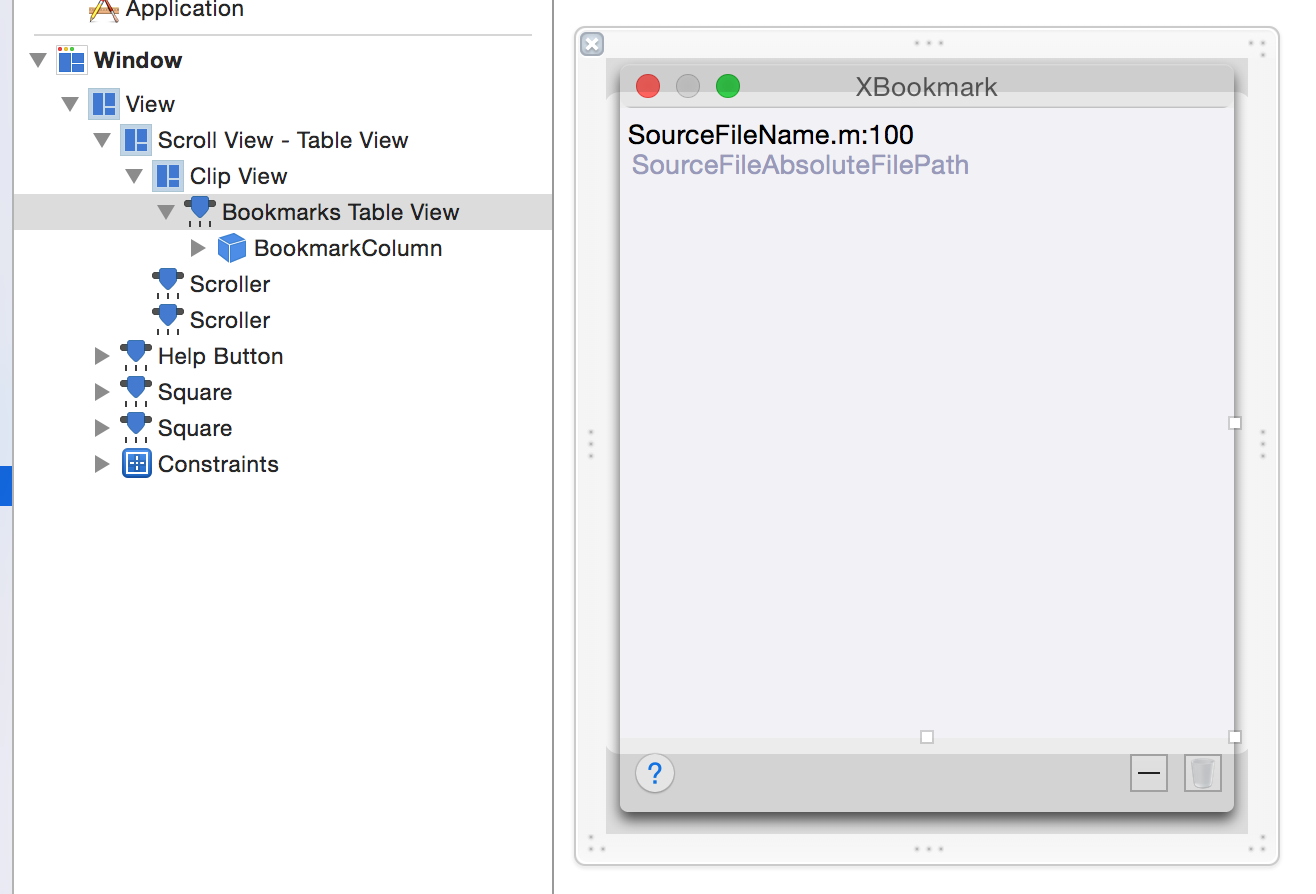
Add the Bookmark List
Publish to Alcatraz
Pretty simple — modify the config file and create a Pull Request. See the README at https://github.com/supermarin/alcatraz-packages.
Conclusion
For now I’ve only finished the basic features, and there are still a few things that need optimizing and improving.
- Locating the line of code. (The code comes from XToDo’s code, but in some cases the locating is slow. I need to find the cause and fix it.)
- Bookmark indicators. Show a bookmark symbol, a checkmark or the like, in front of the code line.
- Comment feature. (Add the ability to add bookmark comments.)
- Mnemonic bookmarks. (Imitating the IntelliJ family.)
Update on October 31, 2015
Thanks to a fellow netizen who told me about the JumpMarks plugin (if I had known about this plugin back then, I might not have developed XBookmark at all). This plugin implements quickly locating a code line, as well as adding markers next to the code lines. But it doesn’t provide a tag list (luckily XBookmark is a little different).
After studying JumpMarks’ code, XBookmark recently released two versions (0.2 and 0.3). Thanks to the author of JumpMarks.
- Version 0.2 implemented quickly locating code lines.
- Version 0.3 added customizable shortcuts, as well as the indicator in front of the code line.
Developing XBookmark was a very happy process — it was my first time merging a Pull Request (thanks to https://github.com/langyapojun for solving the Xcode 7 support issue). I had never developed a public tool before (5 years flew by with my head down coding away). This year I’m trying to change and contribute some code to open source.
About the Xcode 7 support issue, I’m still quite puzzled. I’ve always developed with Xcode 7 myself (upgraded from Xcode 6 to Xcode 7), so why does it work fine even without that id? I’ll have to look into it…
Update on January 24, 2017
Now it supports Xcode 8. I imitated XVim’s installation method (re-sign Xcode, then make).
文章目录
代码:https://github.com/everettjf/XBookmark
效果
使用方法
首先要安装插件管理器 Alcatraz ,搜索XBookmark并安装,重启Xcode后就可以在Edit菜单中找到以下功能啦。
- 对应代码行,按F3可增加、删除书签
- Shift+F3,可显示书签列表
- Command+F3,下一个书签
- Shift+Ctrl+F3,上一个书签
背景
初入iOS开发,发现自己以前在Visual Studio中常用的书签功能,Xcode中竟然没有。网上找了一阵子,大概有以下替代方法:
- 使用断点(Disabled Breakpoint)
- 使用插件XToDo,增加标签BOOKMARK,并在想加书签的代码行增加注释 BOOKMARK
- 使用插件XcodeBookmark(不是本文说的XBookmark),但此插件貌似不支持Xcode7,而且原理仍然是辅助增加断点。
目前找到了这3种方法,但感觉都不理想。没法快速进行上一个书签、下一个书签切换,没法增加书签注释。
于是,想自己开发一个,就叫做 XBookmark 吧。
预习文章
开发中大概看了以下几篇文章。
Xcode插件的文章:
http://studentdeng.github.io/blog/2014/02/21/xcode-plugin-fun/ http://www.poboke.com/study/write-a-xcode-plugin-to-auto-select-all-targets.html http://www.onevcat.com/2013/02/xcode-plugin/
Mac开发的文章:
http://www.raywenderlich.com/17811/how-to-make-a-simple-mac-app-on-os-x-10-7-tutorial-part-13
还看了几个插件的源码。
开发步骤简要总结
安装模板、创建工程
在 Alcatraz 中的 Templates 中搜索 Xcode Plugin。安装后从此模板创建工程。
增加菜单
NSMenuItem *menuItem = [[NSApp mainMenu] itemWithTitle:@"Edit"];
if (menuItem) {
    [[menuItem submenu] addItem:[NSMenuItem separatorItem]];

    {
        NSMenuItem *actionMenuItem = [[NSMenuItem alloc] initWithTitle:@"Toggle Bookmark" action:@selector(toggleBookmark) keyEquivalent:f3];
        [actionMenuItem setKeyEquivalentModifierMask:0];
        [actionMenuItem setTarget:self];
        [[menuItem submenu] addItem:actionMenuItem];
    }
    //...
获取书签位置
IDESourceCodeEditor* editor = [XcodeUtil currentEditor];
NSTextView* textView = editor.textView;
if (nil == textView)
    return;

NSRange range = [textView.selectedRanges[0] rangeValue];
NSUInteger lineNumber = [[[textView string]substringToIndex:range.location]componentsSeparatedByString:@"\n"].count;

// length of "file://" is 7
NSString *sourcePath = [[editor.sourceCodeDocument.fileURL absoluteString] substringFromIndex:7];

XBookmarkEntity *bookmark = [[XBookmarkEntity alloc]initWithSourcePath:sourcePath withLineNumber:lineNumber];
[[XBookmarkModel sharedModel]toggleBookmark:bookmark];

//...
增加书签列表
发布到 Alcatraz
挺简单,修改配置文件,创建一个 Pull Request 就可以。 见 https://github.com/supermarin/alcatraz-packages 的README。
结语
目前仅是完成了基本功能,还有几个需要优化和完善的地方。
- 定位代码行。(代码来自XToDo的代码,但有些情况下定位速度慢。需要查找原因解决)
- 书签标识。代码行前面显示书签符号,对号之类的。
- 注释功能。(增加书签注释功能)
- Mnemonic 书签。(模仿 IntelliJ 系列)
2015年10月31日更新
感谢网友提供了JumpMarks这个插件(当时如果知道了这个插件,或许就不会开发这个XBookmark了),这个插件实现了快速定位代码行,以及在代码行签名增加标记。但没有提供一个标签列表(还好XBookmark有点区别)。
经过学习JumpMarks的代码,XBookmark近期发布了两个版本(0.2与0.3),感谢JumpMarks作者。
- 0.2版,实现了快速定位代码行。
- 0.3版,增加了快捷键自定义,以及代码行前面的标识。
开发XBookmark的过程很开心,第一次Merge PullRequest(感谢https://github.com/langyapojun 解决了Xcode7支持问题),以前没有开发过公开的工具(闷头开发,5年眨眼过去),今年尝试改变,为开源贡献点代码。
关于Xcode7支持的问题,我还挺纳闷,自己开发一直都是Xcode7(Xcode6升级到的Xcode7),为什么没有那个id也可以正常用呢。我得研究研究去……
2017年1月24日更新
现在已经支持Xcode8了。模仿的XVim的安装方式(重签名Xcode后,make)。